
Table of Contents
- Auto Sync User Data and Contact Data
- User Signup Optin Settings
- WP User Role Based Tag Mapping
- Comment Form Subscription Settings
- Woocommerce Checkout Subscription Field
Auto Sync User Data and Contact Data
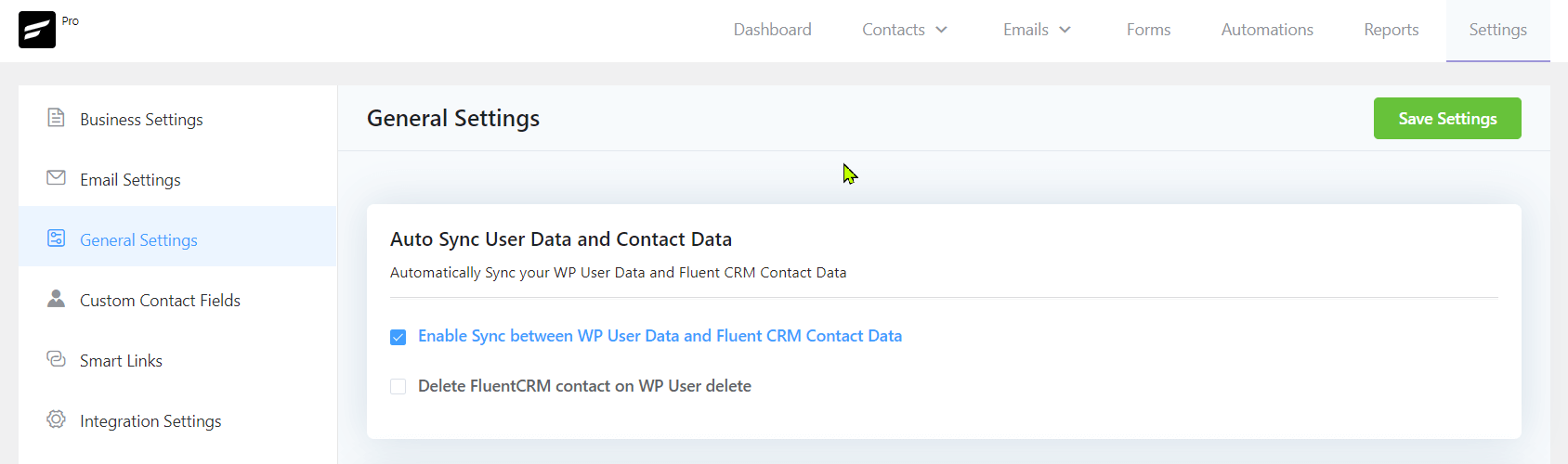
The option Enable Sync between WP User Data and Fluent CRM Contact Data lets you Automatically sync your FluentCRM and WordPress users along with supported data bi-directionally.
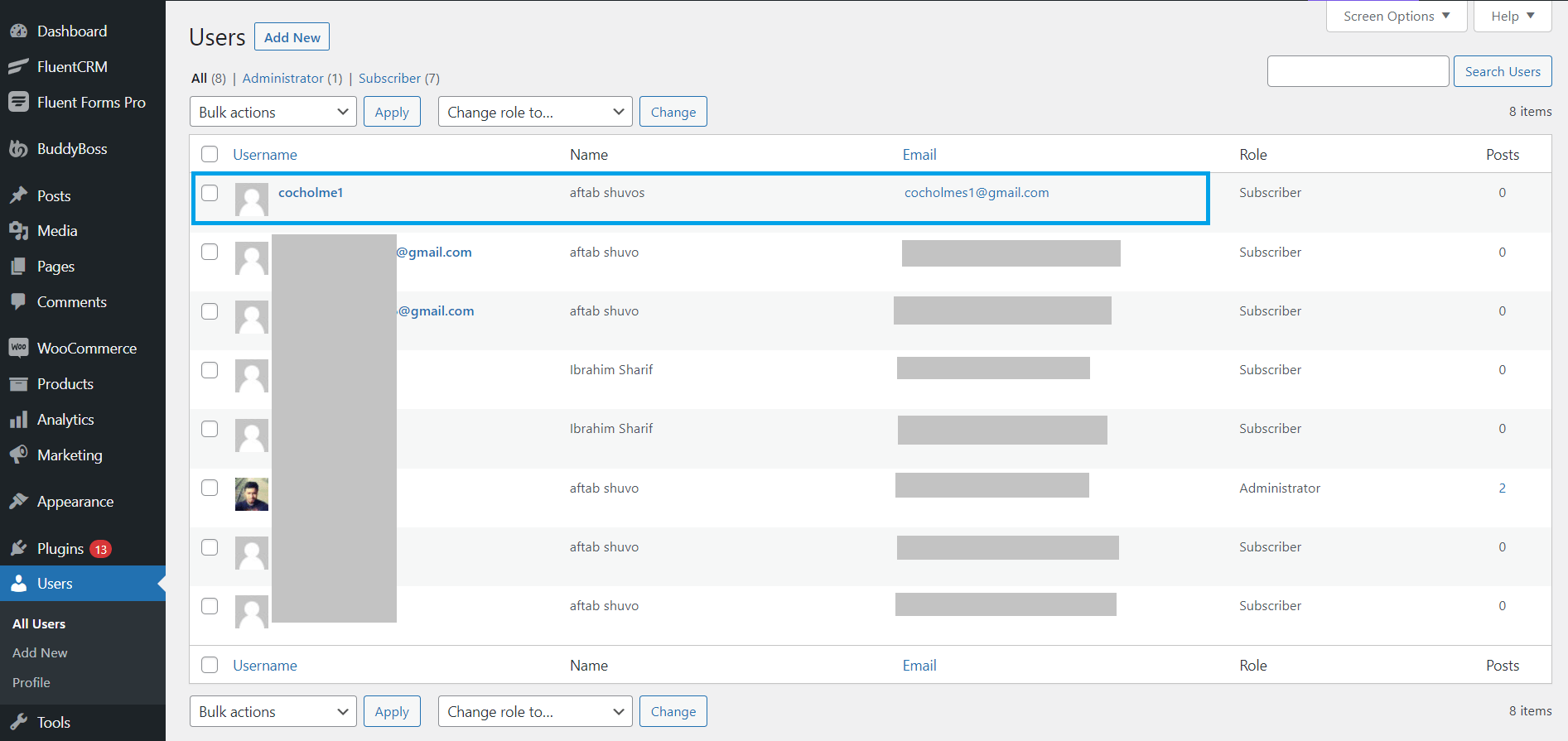
Below is an example screenshot of the WordPress users list that will be synced by this option.
Also, you can choose to delete the FluentCRM contact associated with the WordPress contact when it is deleted from WordPress by checking the option Delete FluentCRM contact on WP User delete.
User Signup Optin Settings
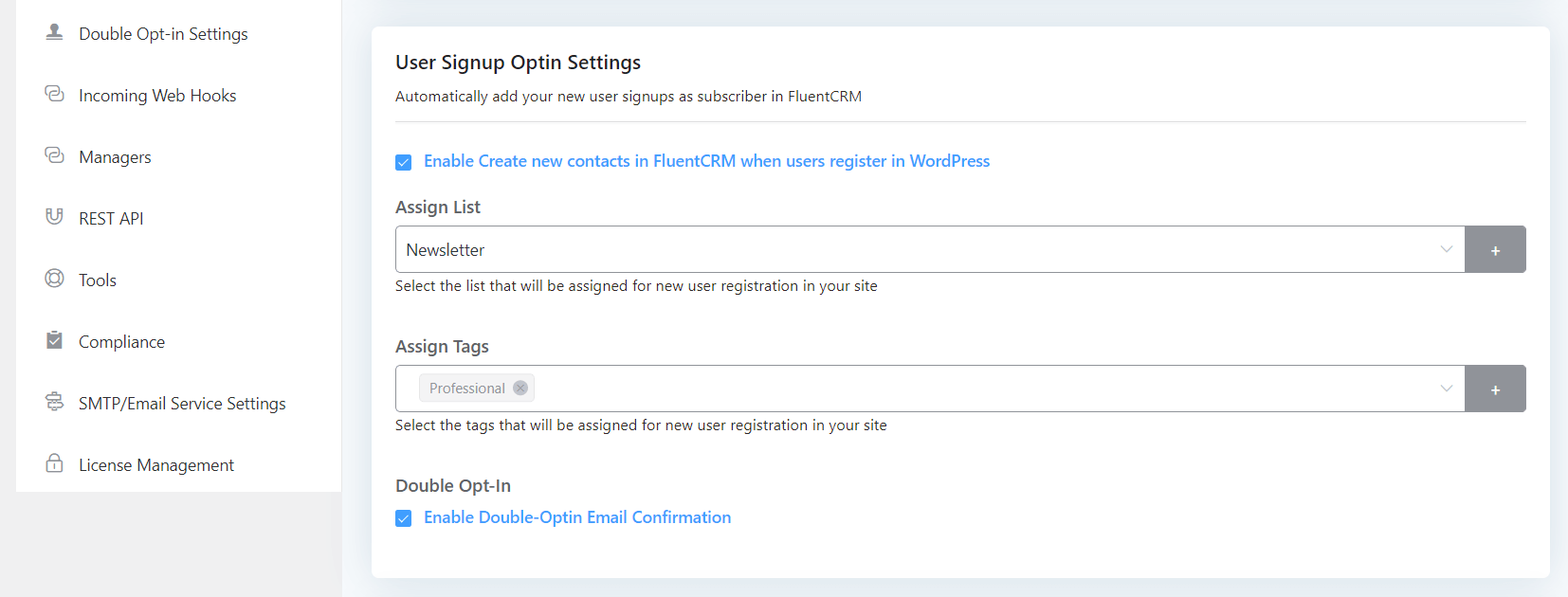
By enabling Enable Create new contacts in FluentCRM when users register in WordPress, you can automatically add your new WordPress user signups as subscribers in FluentCRM. Whenever a user signs up to your website they will be imported automatically as a subscriber in FluentCRM. By assigning a single List & Tags or Multiple Lists & Tags according to your needs you will let you identify the user later in the Campaign, Automation, and other places in the FluentCRM.
Double Opt-in:
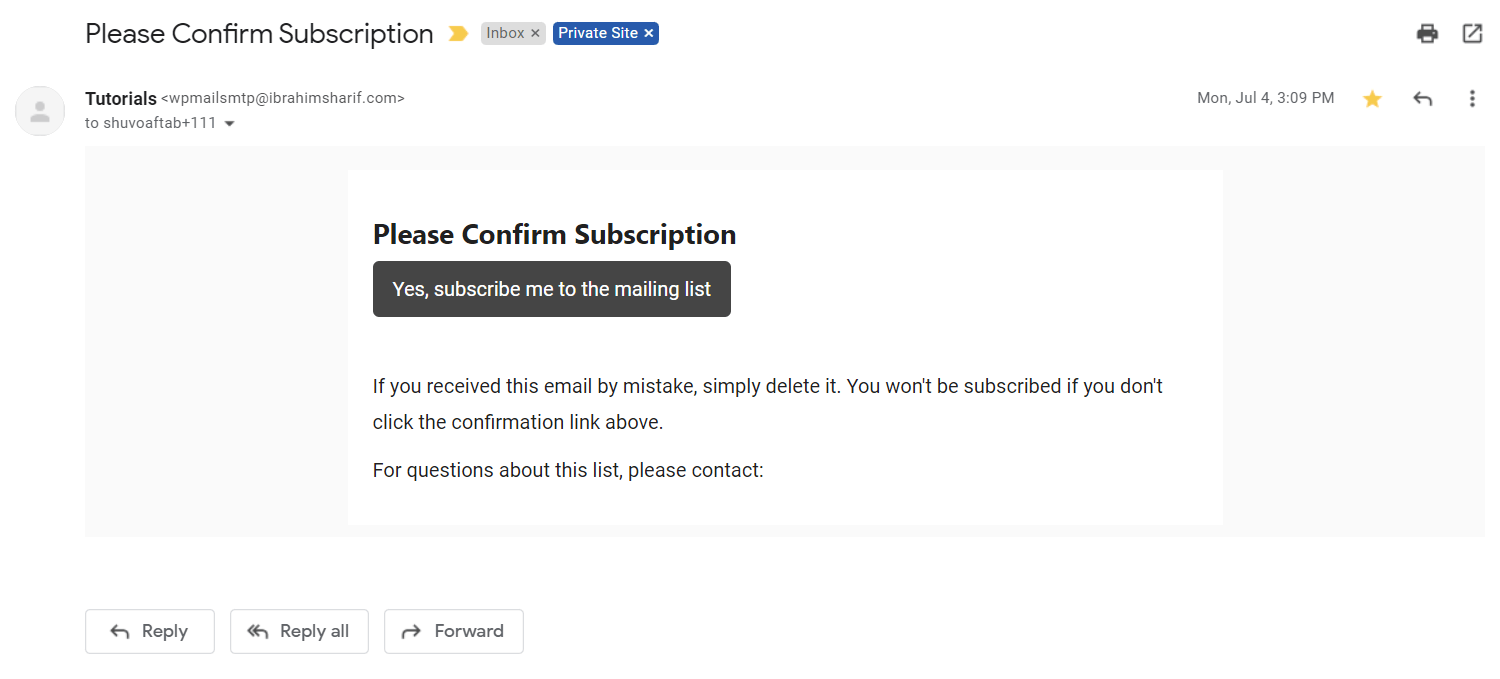
To maintain GDPR policy or make sure that the contact is valid or confirm extra steps to ensure that the user is real, you may turn on Enable Double-Optin Email Confirmation so that when a WordPress signs up and FluentCRM creates a new user inside FluentCRM, FluentCRM will send an Opt-in confirmation email which Email Body and Contents are defined in the Double Opt-in Settings and guided here: Double Opt-in Settings – FluentCRM. Below is an example email of such an Opt-in confirmation email sent to the user.
WP User Role Based Tag Mapping
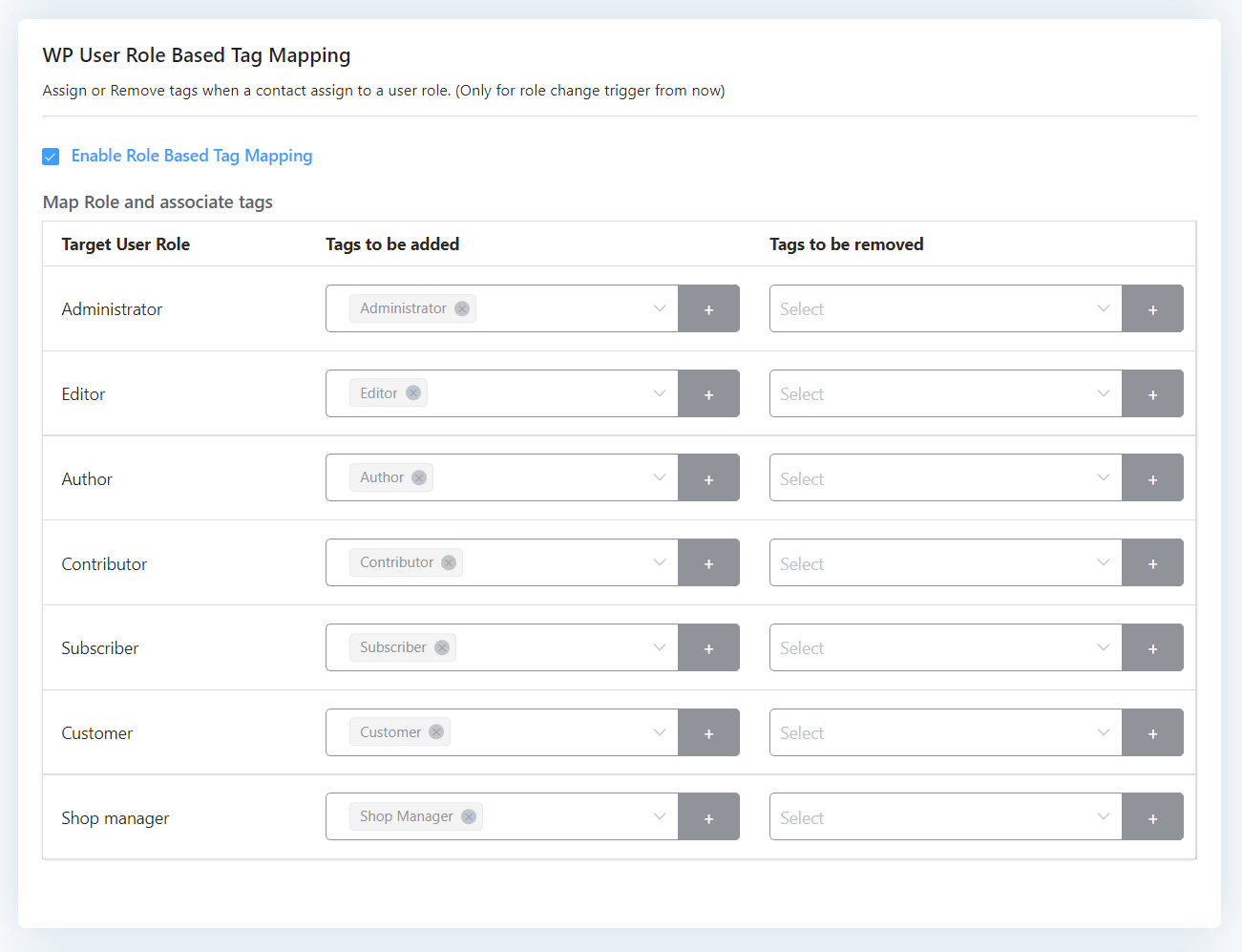
This Enable Role Based Tag Mapping option lets you add or remove tags to contacts whenever a user’s role changes in WordPress. By default, a fresh WordPress system has Administrator, Editor, Author, Contributor, and Subscriber User Role. Plugins like Woocommerce adds a Shop Manager and a Customer user role. So if you want to assign an Administrator Tag to an Administrator user you can select the Tag in this setting and also if you want to remove other tags like Subscriber, or Author type Tags for that user, you may select them in the Tags to be removed column as well.
Comment Form Subscription Settings
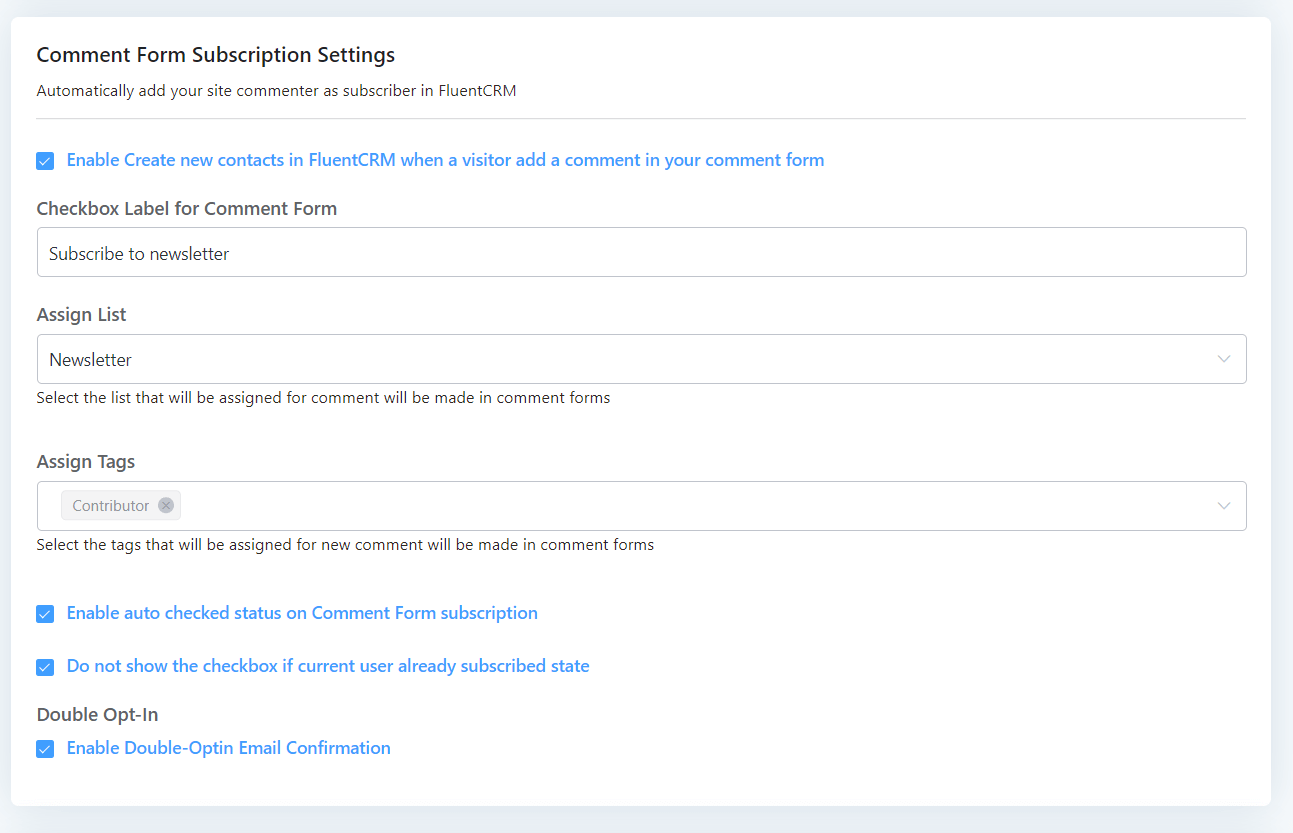
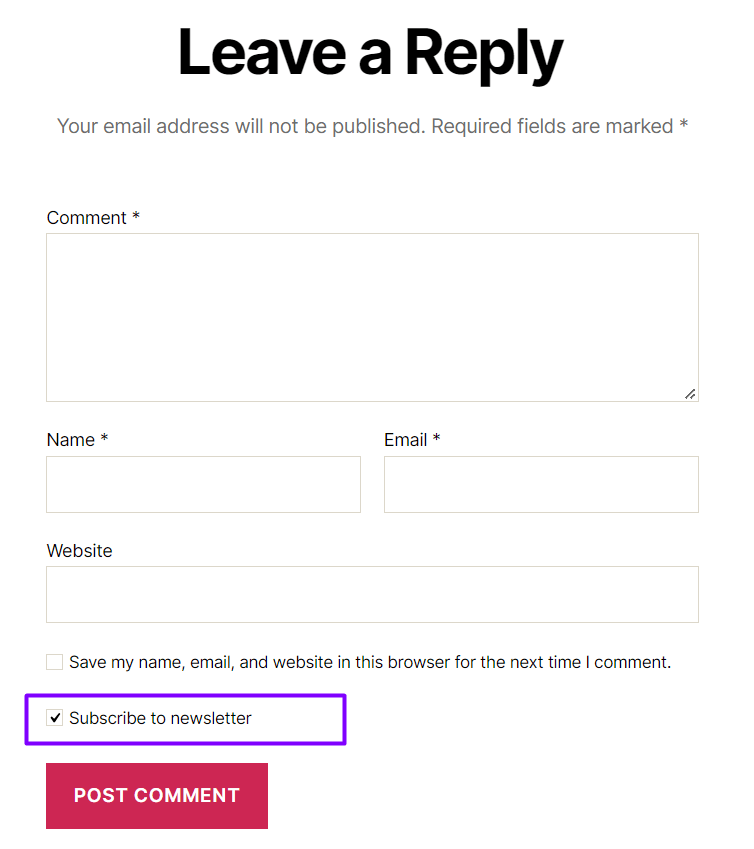
The Enable Create new contacts in FluentCRM when a visitor adds a comment in your comment form option automatically adds your site commenter as a subscriber in FluentCRM by adding a checkbox after the comment box. You can set the Text in Label Settings that is shown to the user and Assign the user to a List or Tags.
Below is an example of how the Checkbox is shown to the user.
The other available options are described below:
- Enable auto-checked status on Comment Form subscription: Enable the checkbox automatically for the commenter.
- Do not show the checkbox if the current user already subscribed state: Hide the checkbox for the commenter if he is already added to the FluentCRM contact list.
- Enable Double-Optin Email Confirmation: Same as User Signup Opt-in Settings you can also enable Double Opt-in email confirmation for the contacts.
Woocommerce Checkout Subscription Field
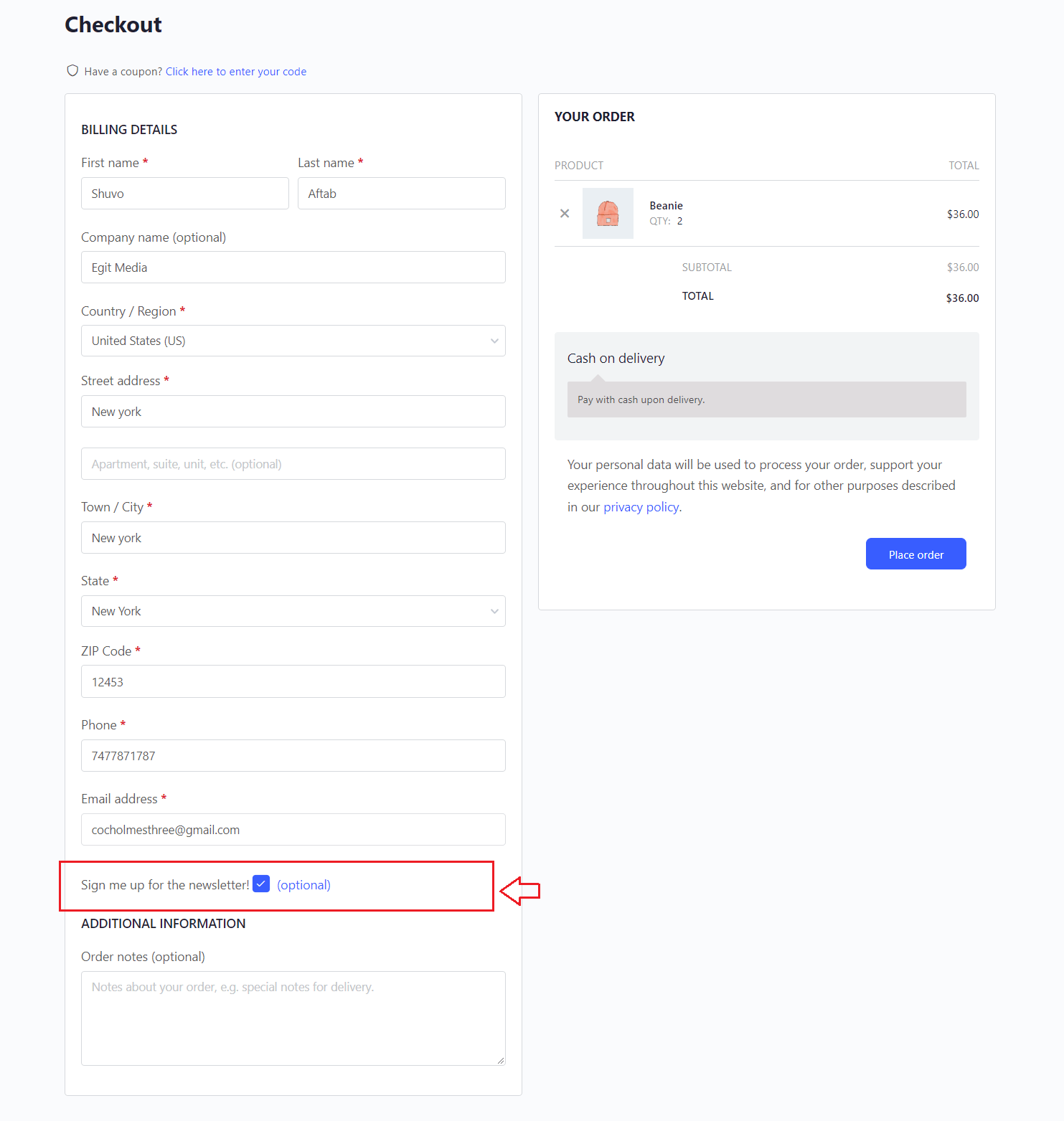
The Enable Subscription Checkbox to WooCommerce Checkout Page option lets you add a subscription box to the WooCommerce Checkout form. You can set the Text in the Label Settings that is shown to the user and Assign the user to a List or Tags. Whenever a user places an order from WooCommerce, they will be imported automatically as subscribers in the FluentCRM.
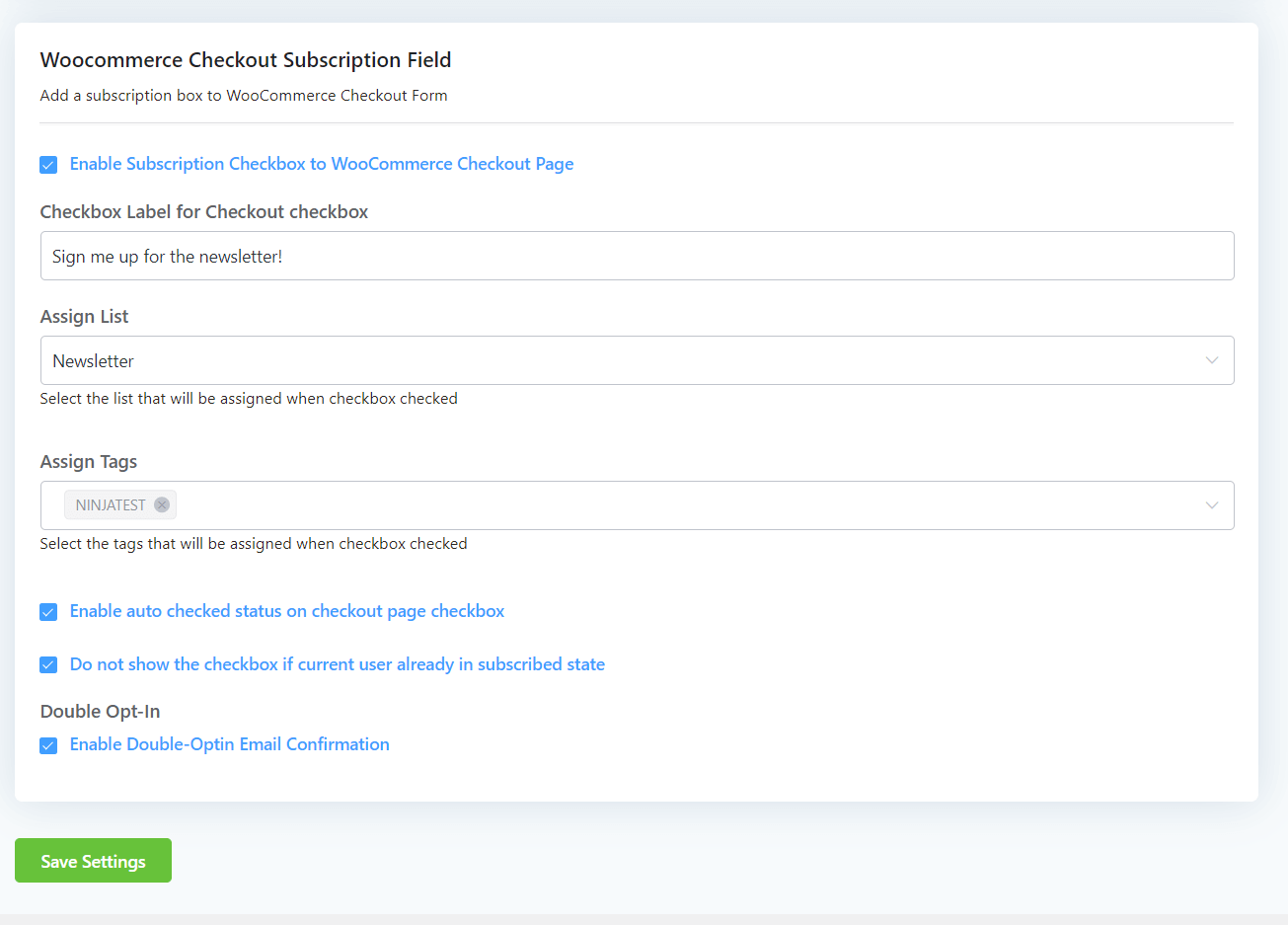
Below is an example of how the Checkbox is shown to the user at checkout.
The other available options are described below:
- Enable auto-checked status on Comment Form subscription: Enable the checkbox automatically for the commenter.
- Do not show the checkbox if the current user already subscribed state: Hide the checkbox for the commenter if he is already added to the FluentCRM contact list.
- Enable Double-Optin Email Confirmation: Same as User Signup Opt-in Settings you can also enable Double Opt-in email confirmation for the contacts.
That’s all! Enjoy FluentCRM in your Business automation and email marketing campaigns.


