
We have introduced a new option which will help to delete the CartFlows & CartFlows Pro’s data while deleting/uninstalling the plugin. We have introduced this option in the 1.6.11 version of the CatFlows.
This setting will be useful to remove unwanted data and setting options from the database while removing the plugin completely.
This setting will delete the CartFlows option’s data and CartFlows Global Setting and will not delete the already created flows from the database. You have to delete it manually first and then delete/uninstall the plugin by enabling the delete data option to remove all the CartFlows data.
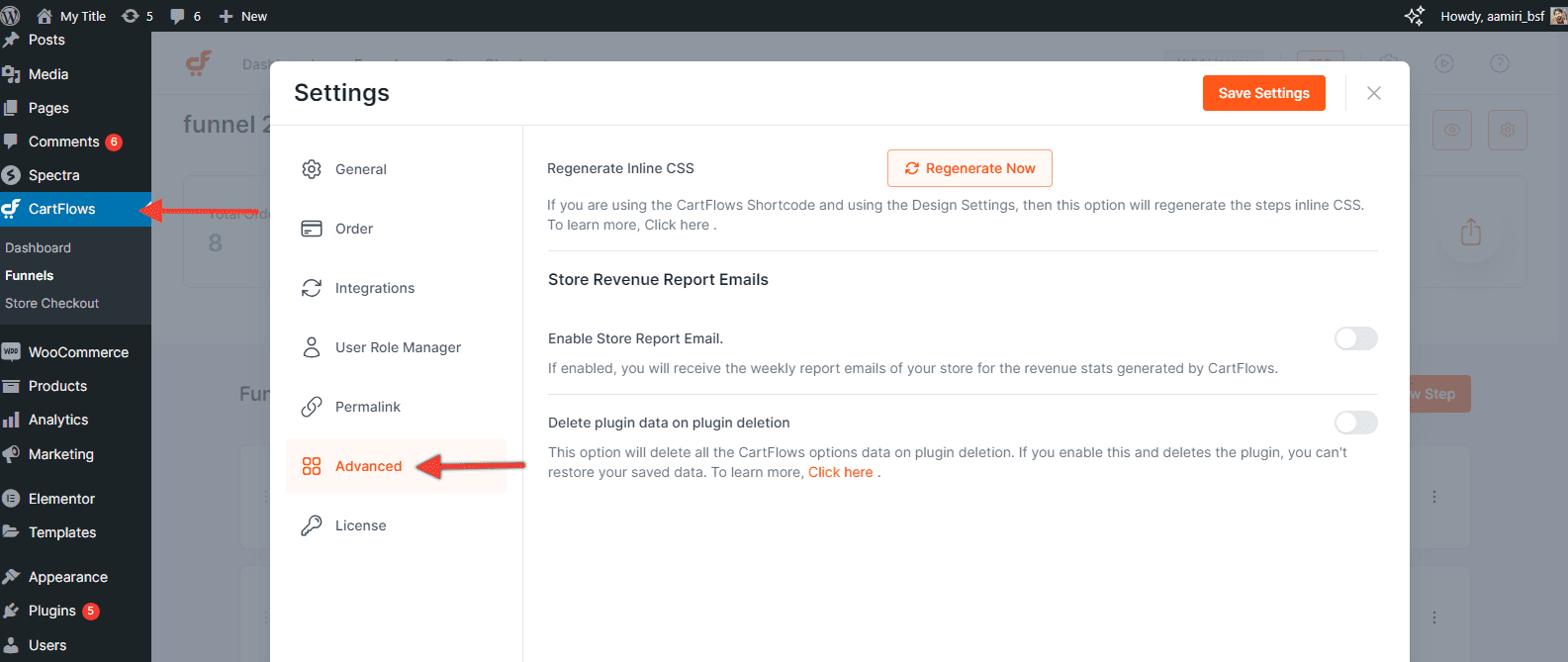
This setting is located on the settings page of the CartFlows under Advanced tab.

Below are the very few and simple steps to enable this option.
Step 1: Go to CartFlows -> Settings -> Advanced Tab
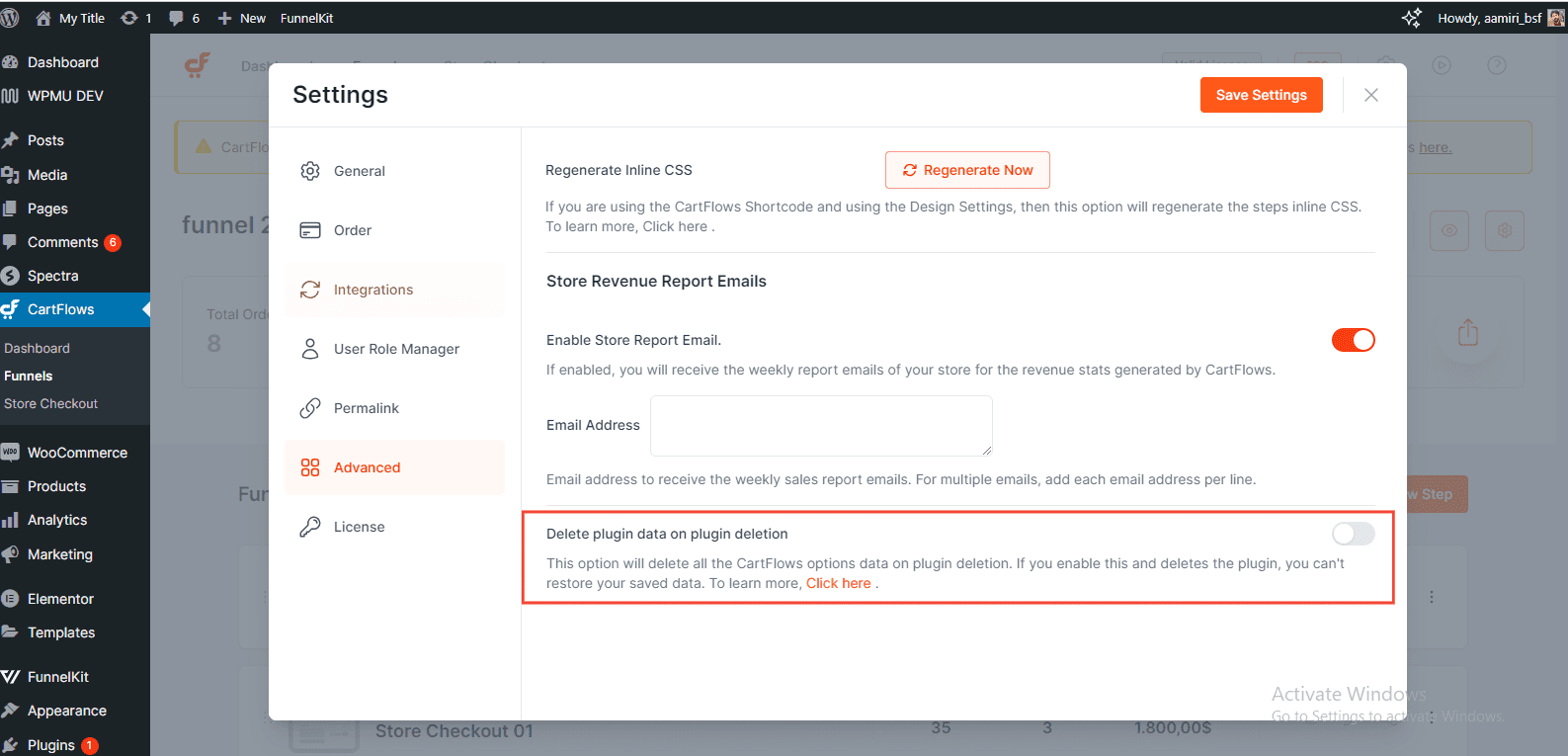
Step 2: Click on the toggle to enable the Delete Plugin Data option.
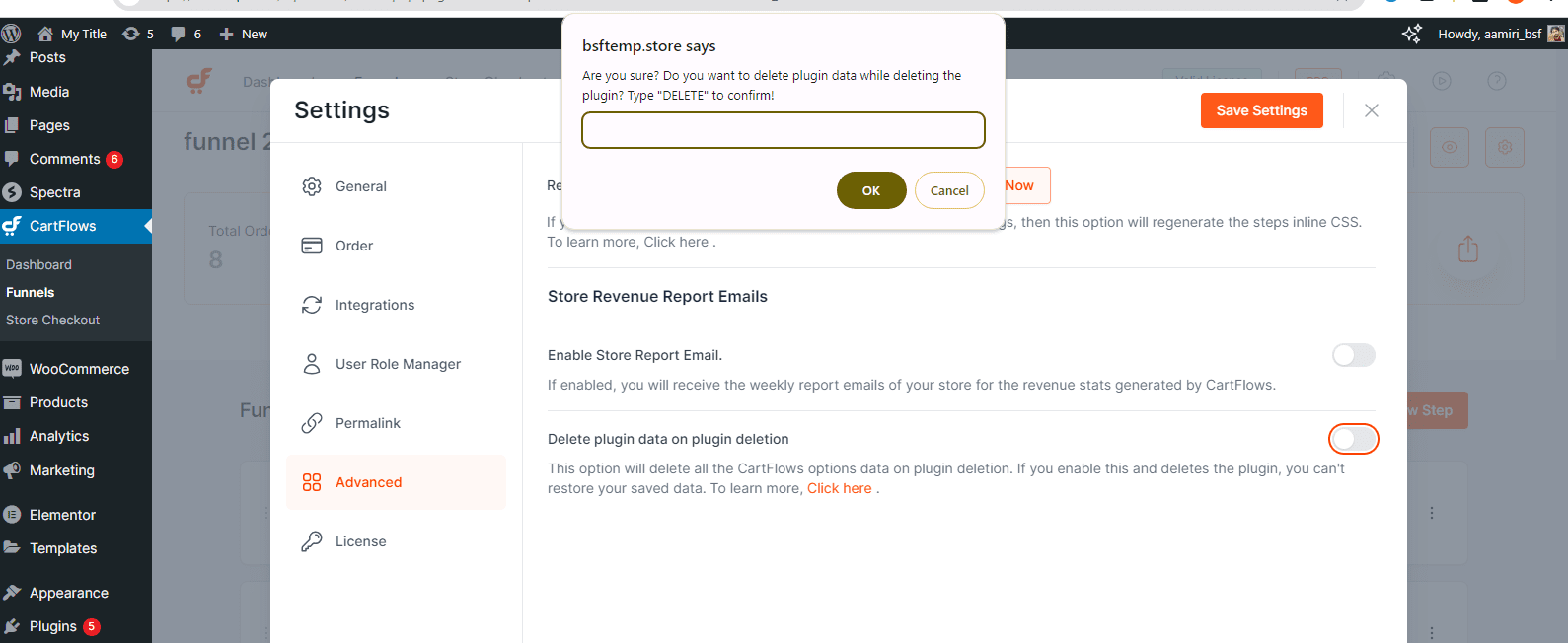
Step 3: An alert will be displayed to confirm the action.
Step 4: Enter “DELETE” in capital letters to confirm the action.
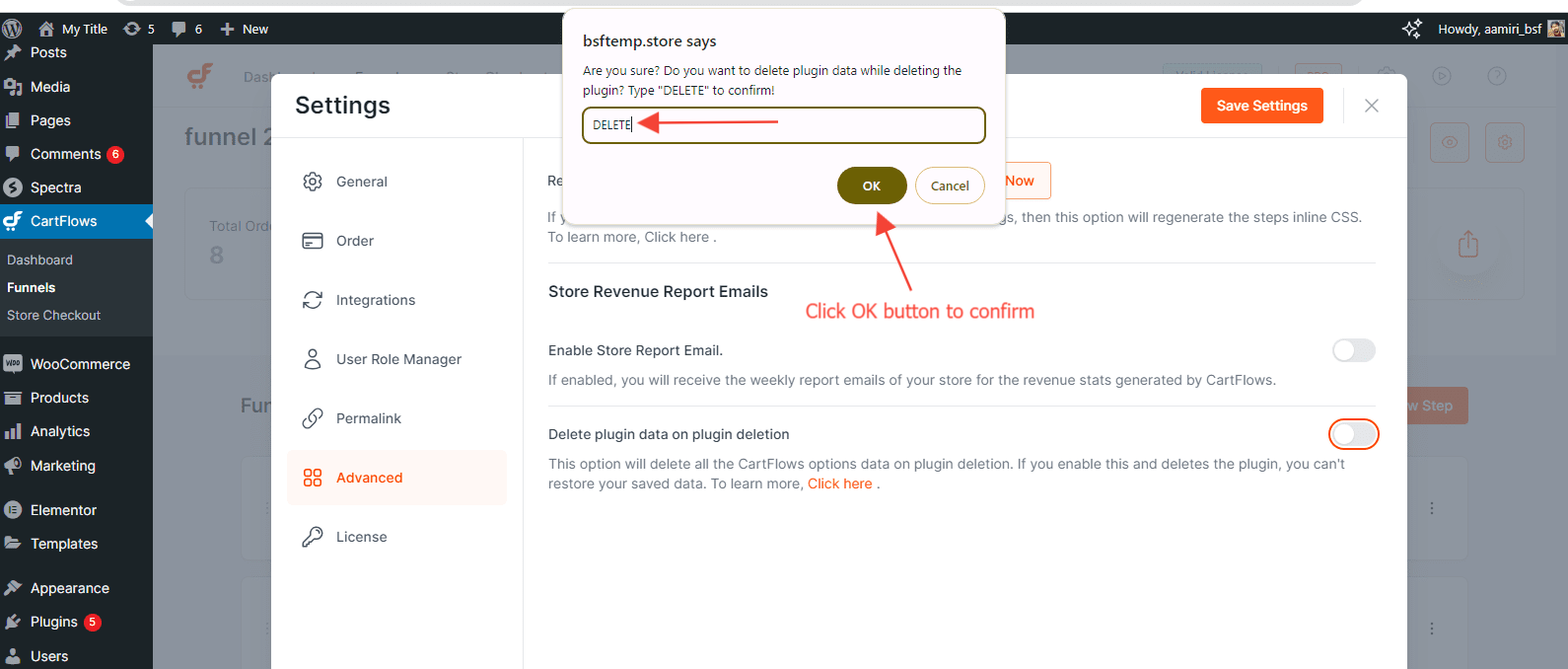
Step 5: Click the Save Setting button to save the changes.


