
CartFlows’ Instant Checkout layout offers a clean, minimal interface focused on quick digital sales, perfect for sellers of digital products like music or e-books. This streamlined layout skips complex setups and page builders, providing a distraction-free checkout experience that integrates smoothly with CartFlows funnels or store checkouts. Inspired by Shopify, Instant Checkout includes a pre-designed template with a modern, conversion-optimized UI and essential customization options, making it easy to enable for fast, effective sales.
How To Setup Instant Checkout?
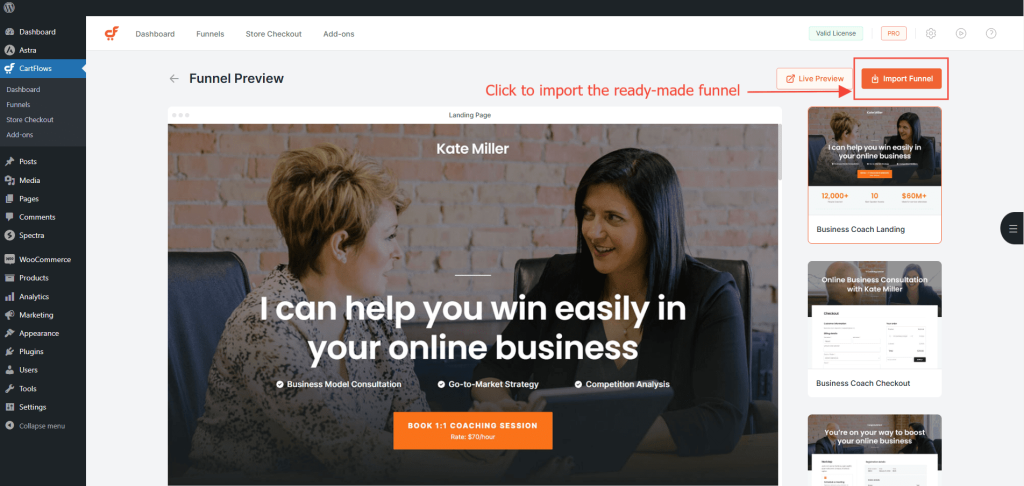
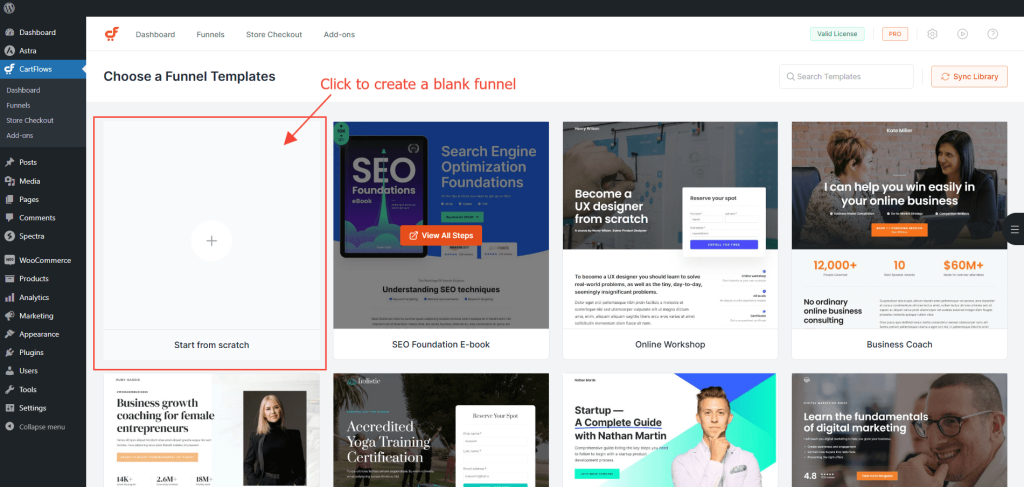
Step 1: Import a ready-made funnel OR simply create a funnel from scratch.
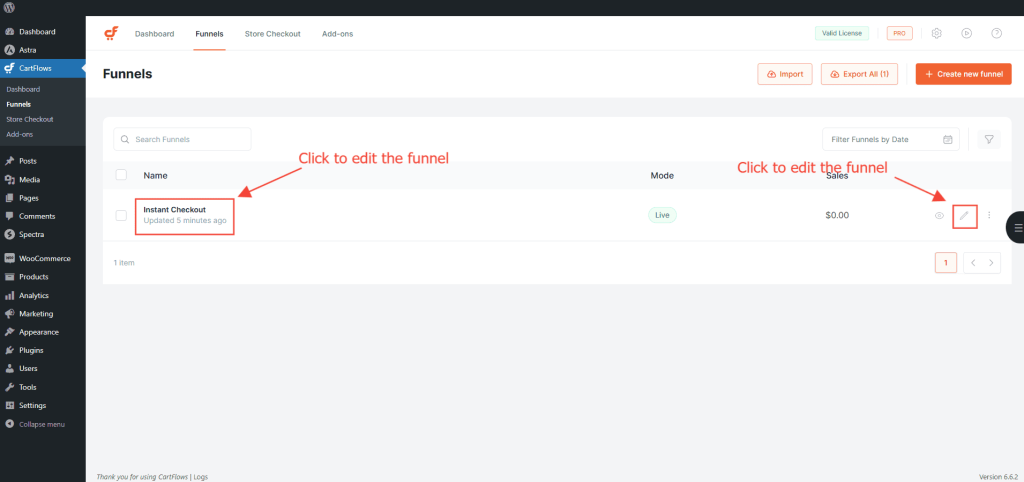
Step 2: Click on the funnel name to view the funnel steps.
Step 3: Open an edit funnel screen where you will see all of its steps are listed.
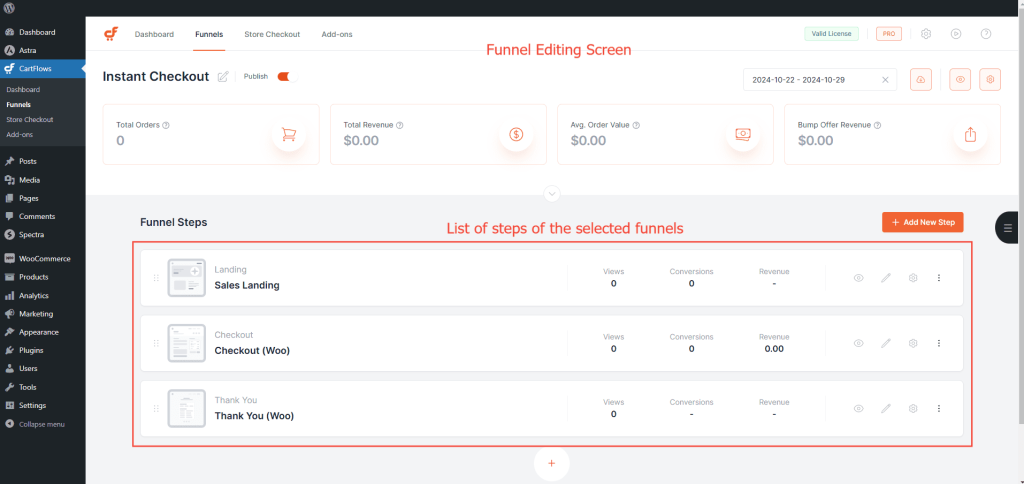
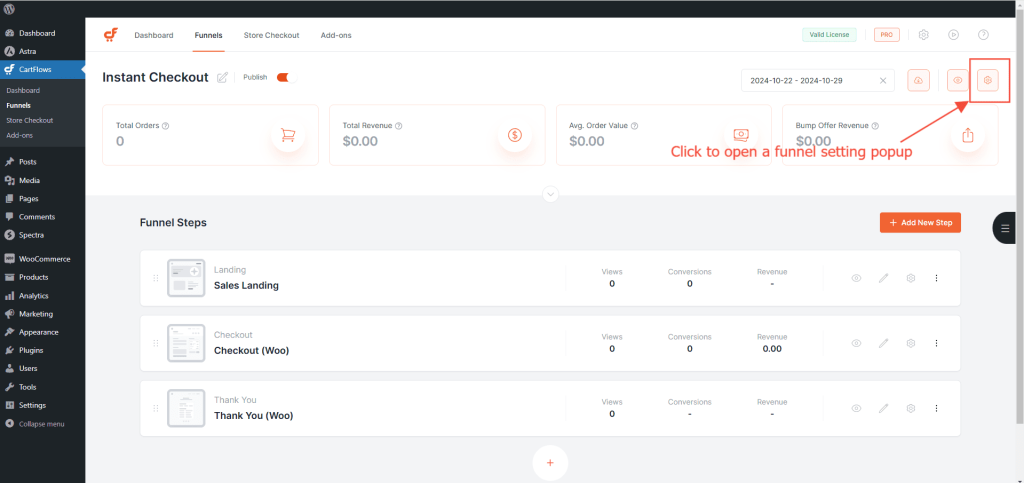
Step 4: Click the Settings button with the cog icon in the top-right corner.
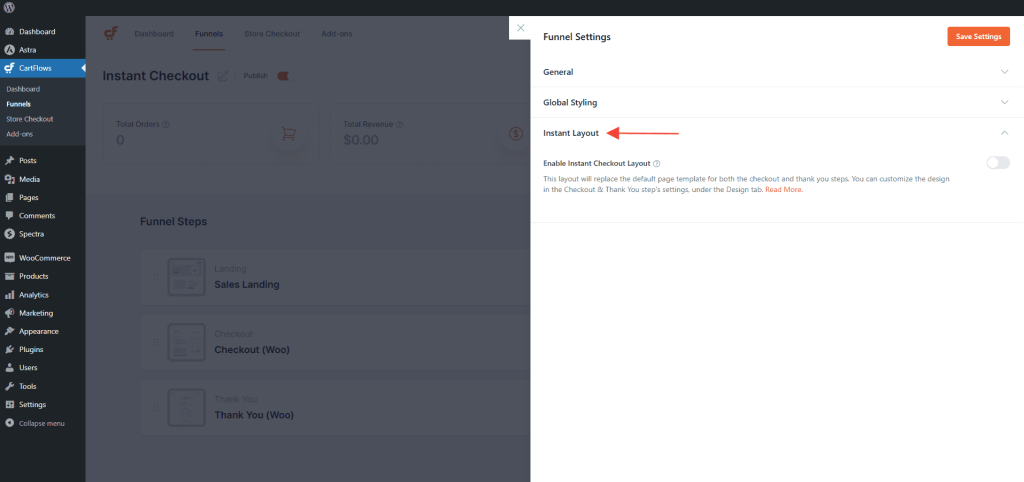
Step 5: Navigate to the Instant Checkout Section.
Step 6: Enable the toggle to activate the Instant Checkout feature for Checkout as well as Thank You steps.
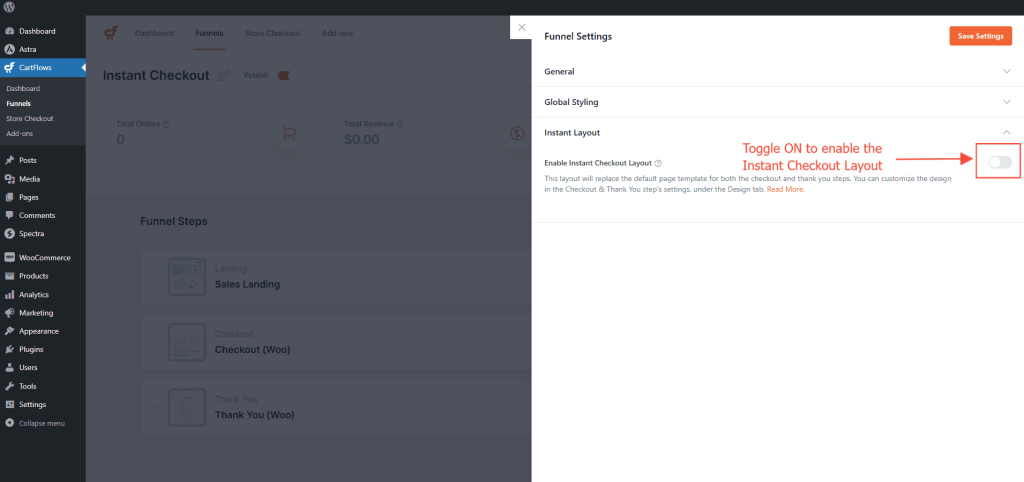
Once you enable the toggle, the Instant Checkout layout is activated, and your users will experience this streamlined, conversion-focused design right away.


