Table of Contents
If you use SendGrid email service then use this documentation to set up Bounce handling with FluentCRM.
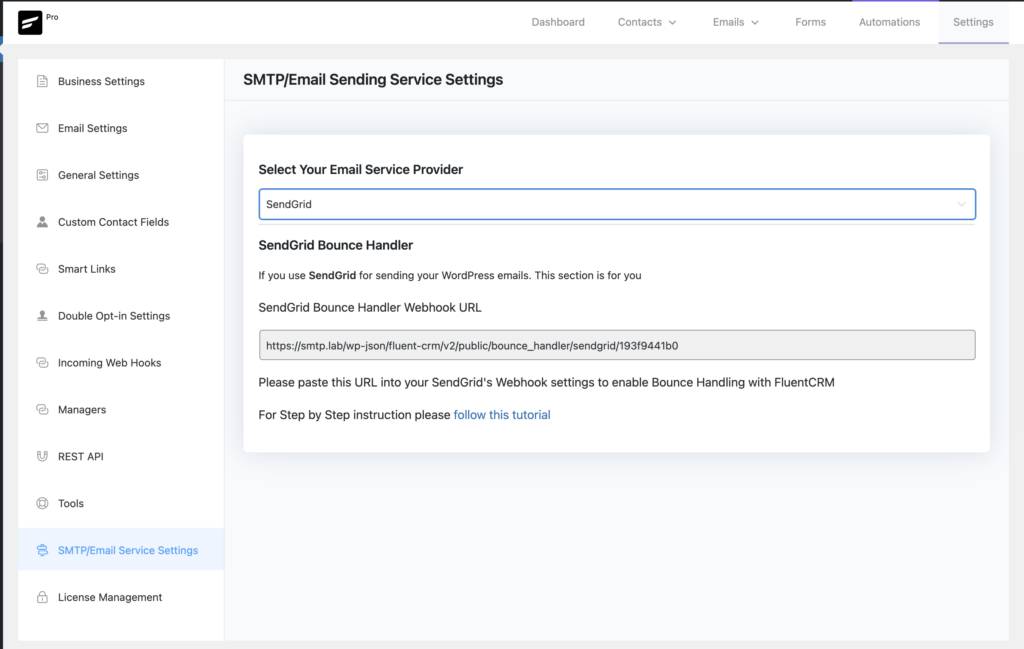
First copy the Webhook URL at FluentCRM -> Settings -> SMTP/Email Sending Service Settings and Select SendGrid from the dropdown and copy the webhook URL.
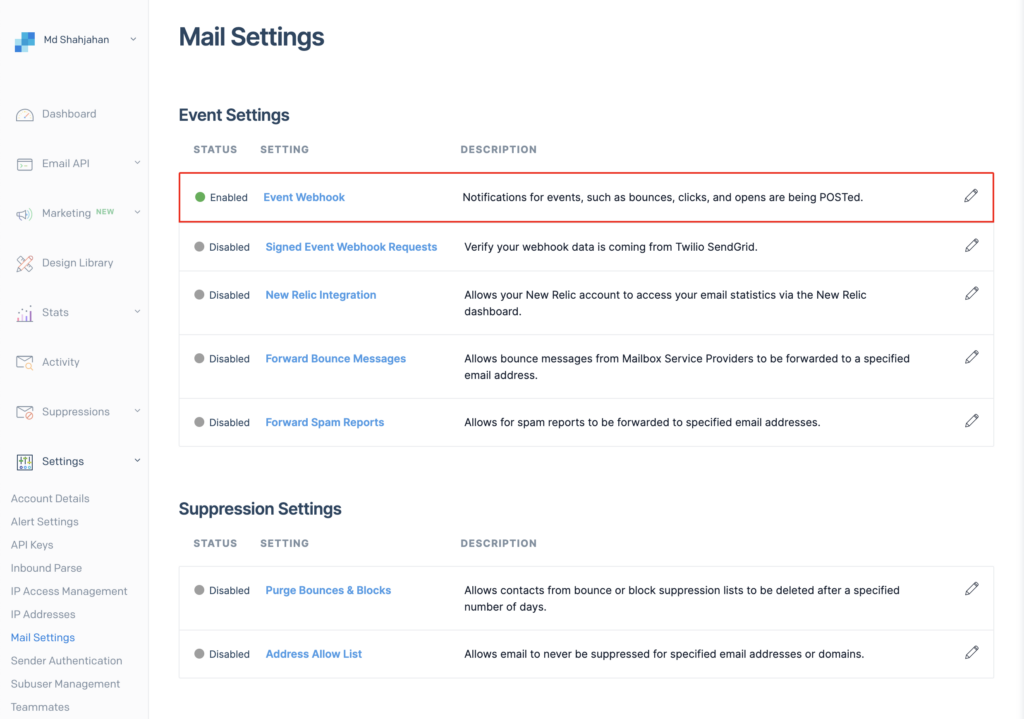
Then Login to your SendGrid account then navigate to Settings -> MailSettings and click on Event Webhook
Then use the following data to setup the webhook
- Authorization Method -> None
- Http Post Url: Paste the Webhook Url copied from FluentCRM
- Events to be POSTed to your URL: Select only Dropped and Bounced
- Event Webhook Status: Enabled
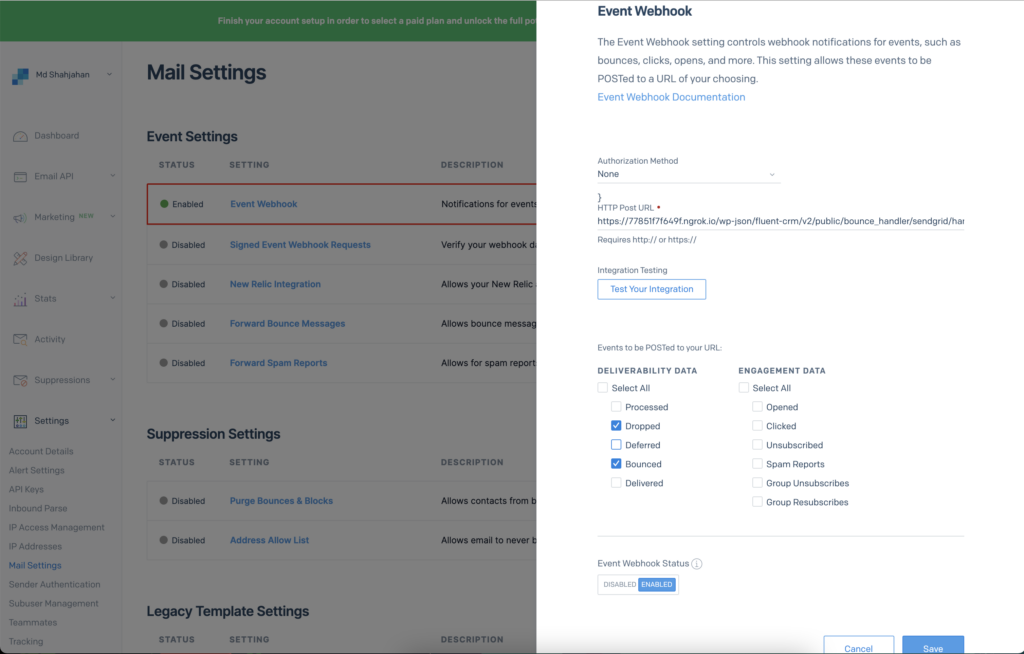
Then at the bottom of that page click “Save”.
If you set up these two webhook correctly, so whenever an email mark as a complaint or Detected as a bounced, Then FluentCRM will change the contact status accordingly.
Viewing Bounced Contacts #
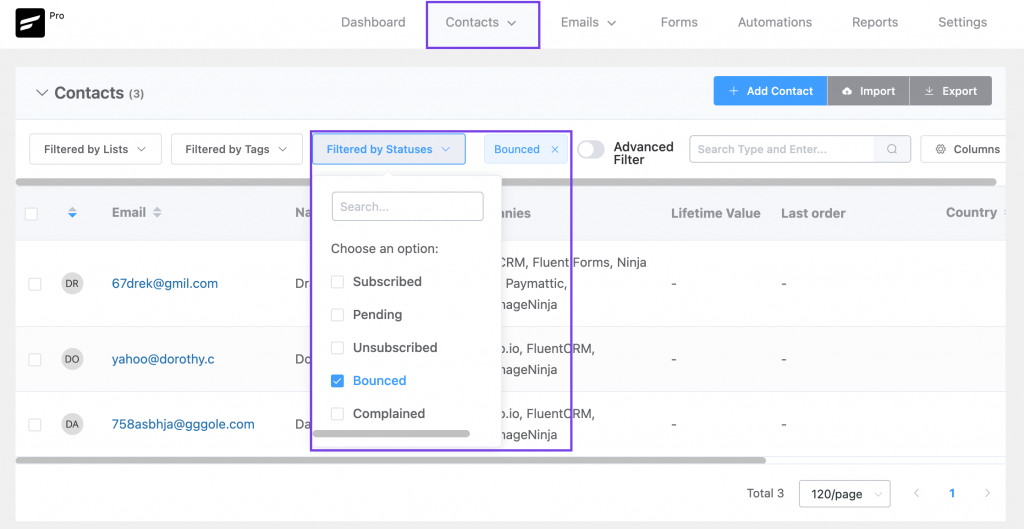
If you want to view bounced contacts, go to FluentCRM Contacts. Then click Filter By Statuses and enable the Bounced checkbox.