
FluentCRM now comes with another amazing feature! Where you can implement Conditional Content Blocks in order to personalize Emails. When you need to send some specific details to a certain group of customers, conditional content blocks can be used. Only one email with information relevant to each of your customers needs to be designed.
Similar to Other Content Blocks Conditional Section is also another block that lets you put contents in sections and apply conditions to them and this will generate emails while sending based on the conditions. This block works with Tags to apply conditions. To know more about Tags please check the Segmentation Guide.
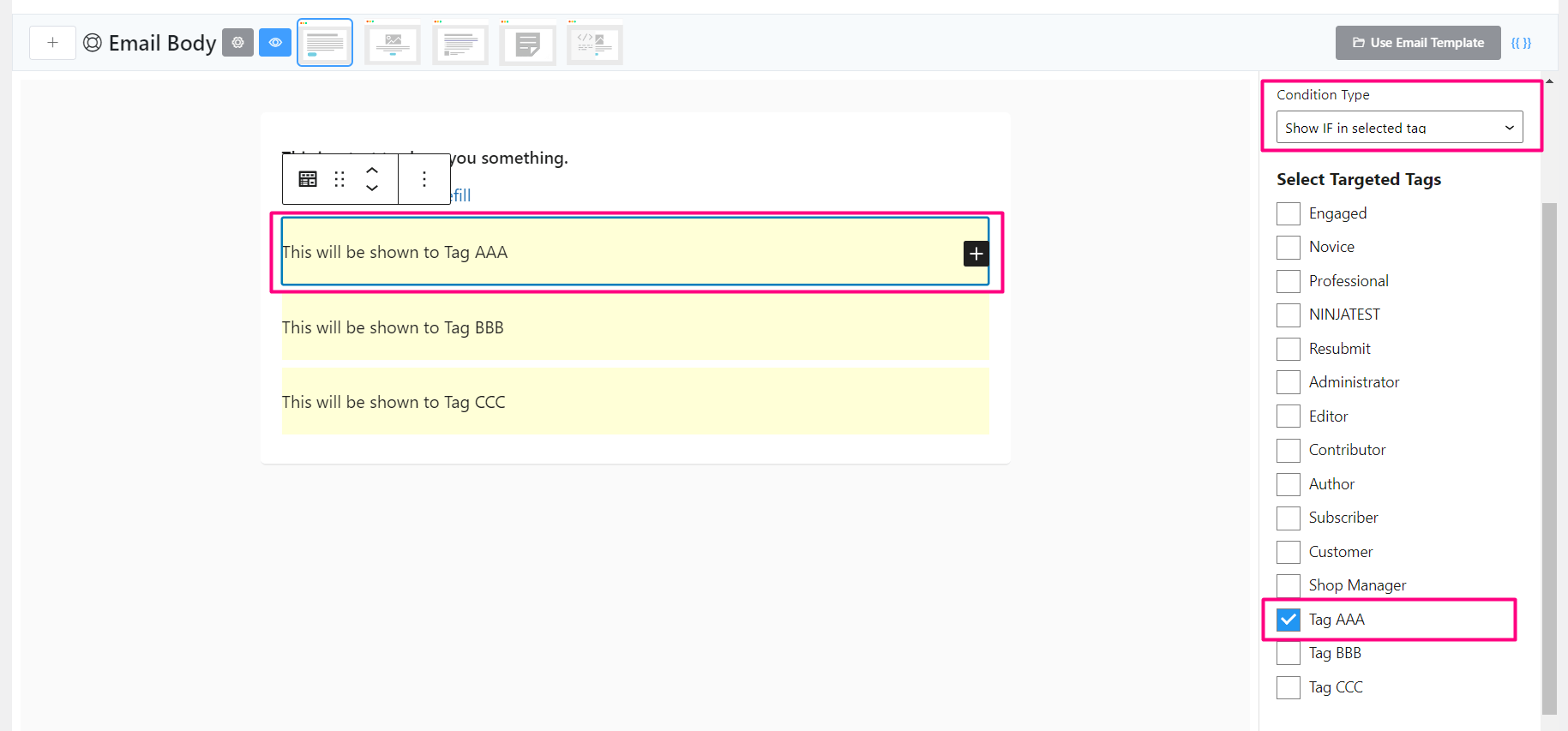
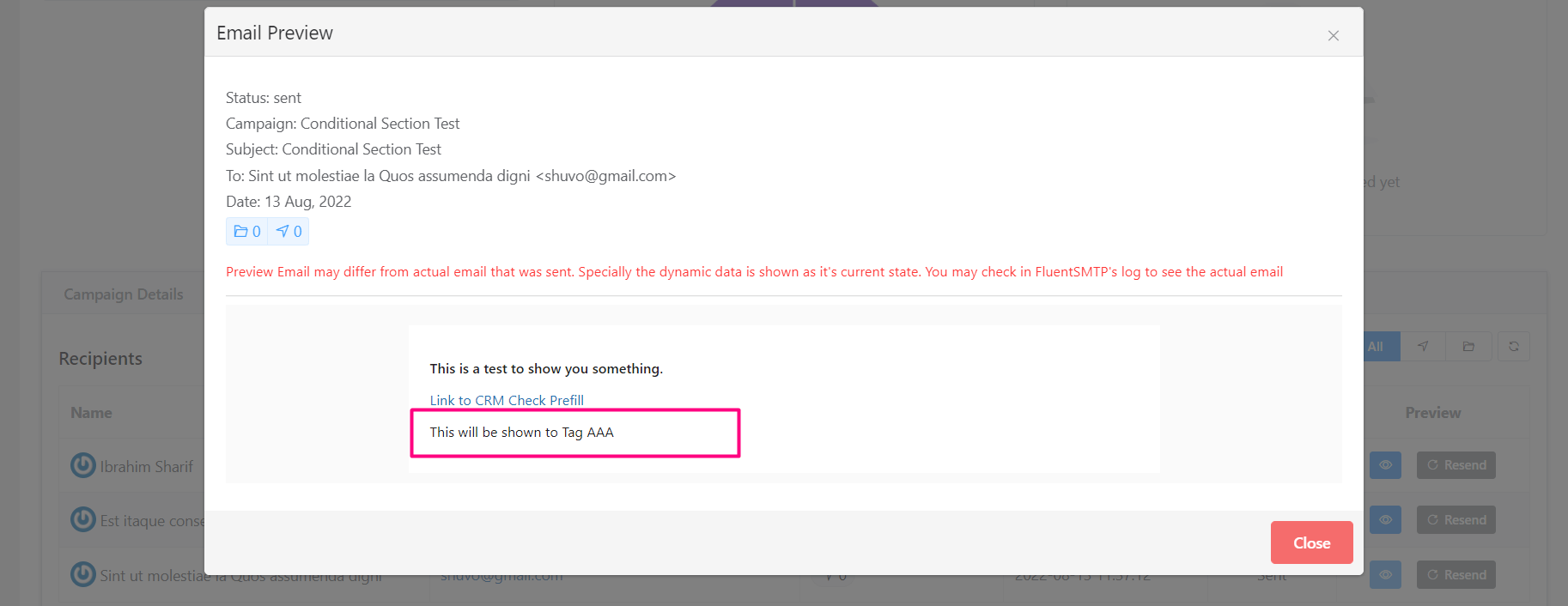
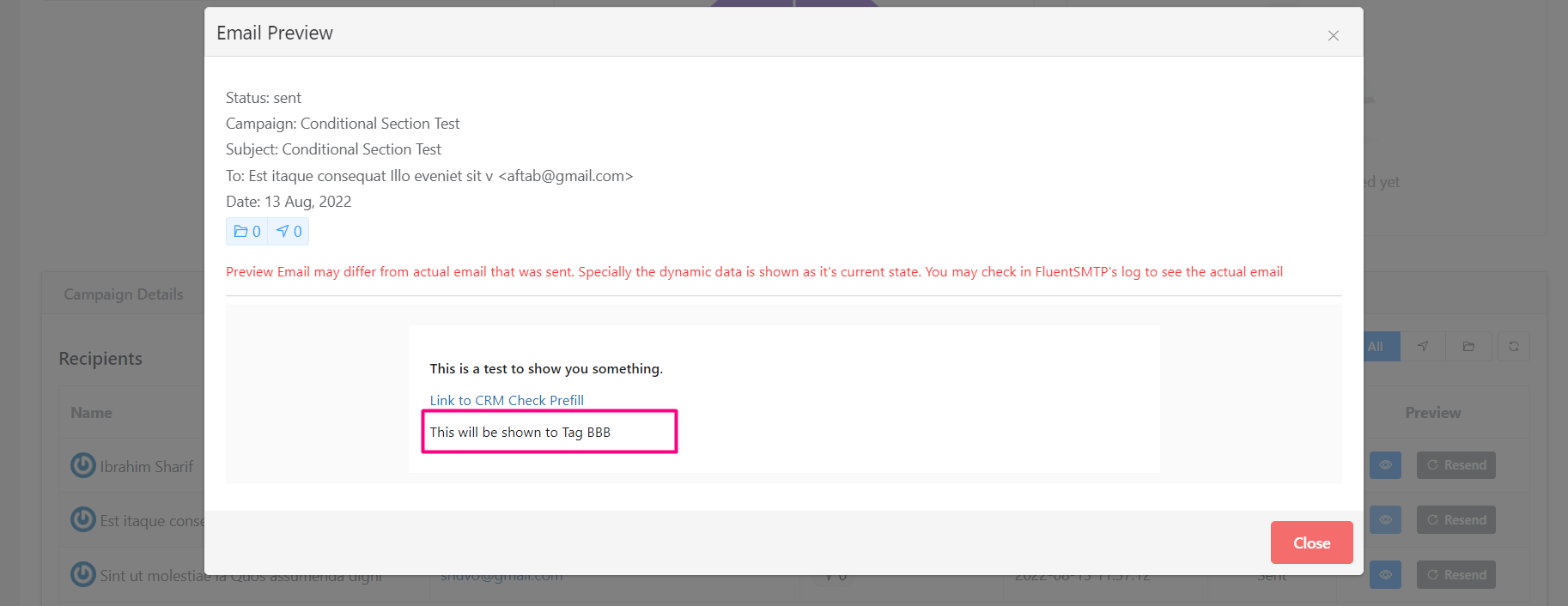
To apply this feature, Add a Conditional Section to the email content. You will then be able to set the condition to either Show IF in Selected Tag or Show IF NOT in Selected Tag see something similar to the below screenshot where 3 sections are used and set to show for 3 different tags. This email will generate content in such a way that only the Tag AAA users will see the 1st conditional section. The same applies to the rest of the 2 conditional sections.
Once you sent the email as an Email Campaign, you will then be able to see the actual email that was generated and delivered to the recipients as below:
Remember that, The Conditional Sections do not support nesting. You can add one single block to each conditional block from any of the Text, Media, Design, or Widget Blocks.


