
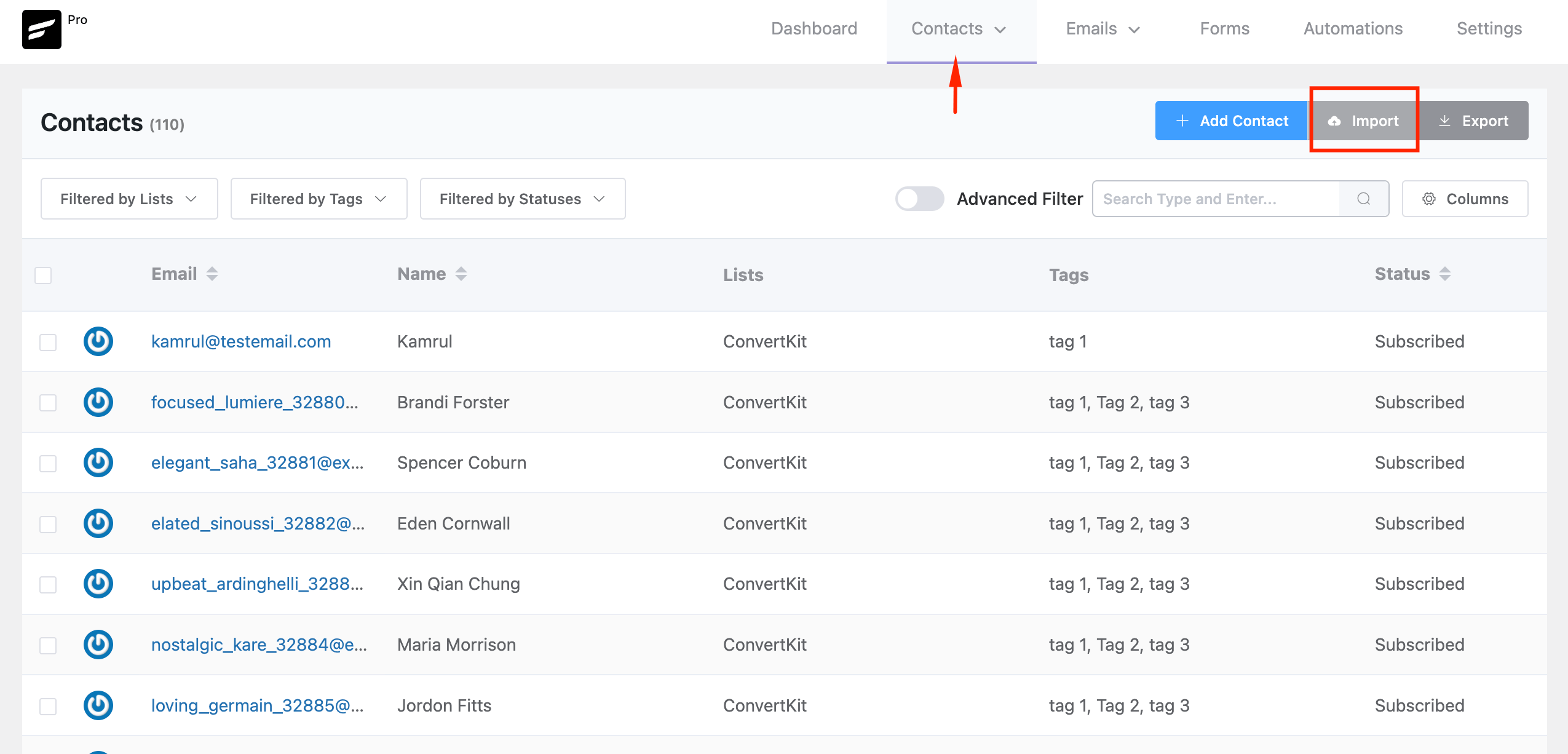
From your contact dashboard, click Import.
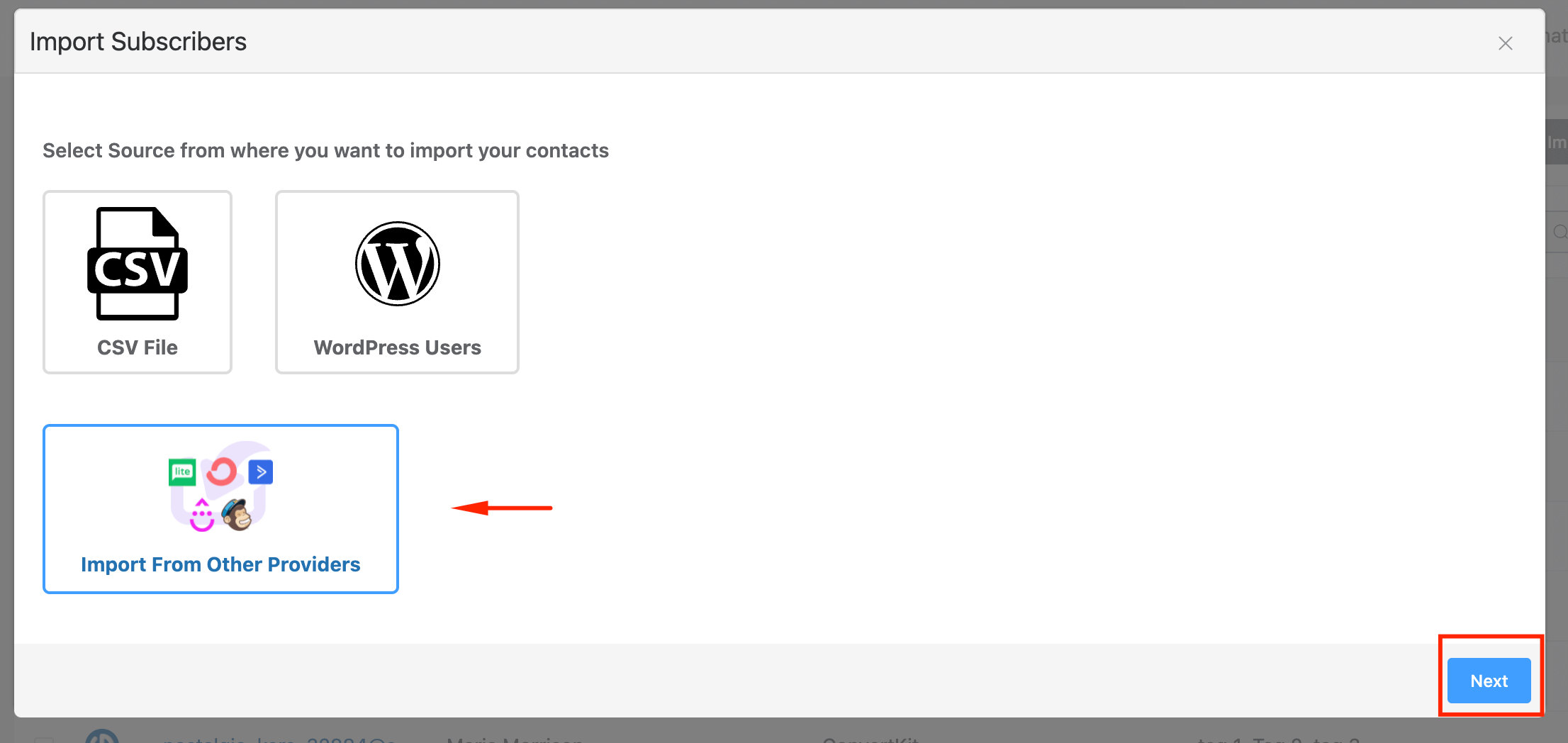
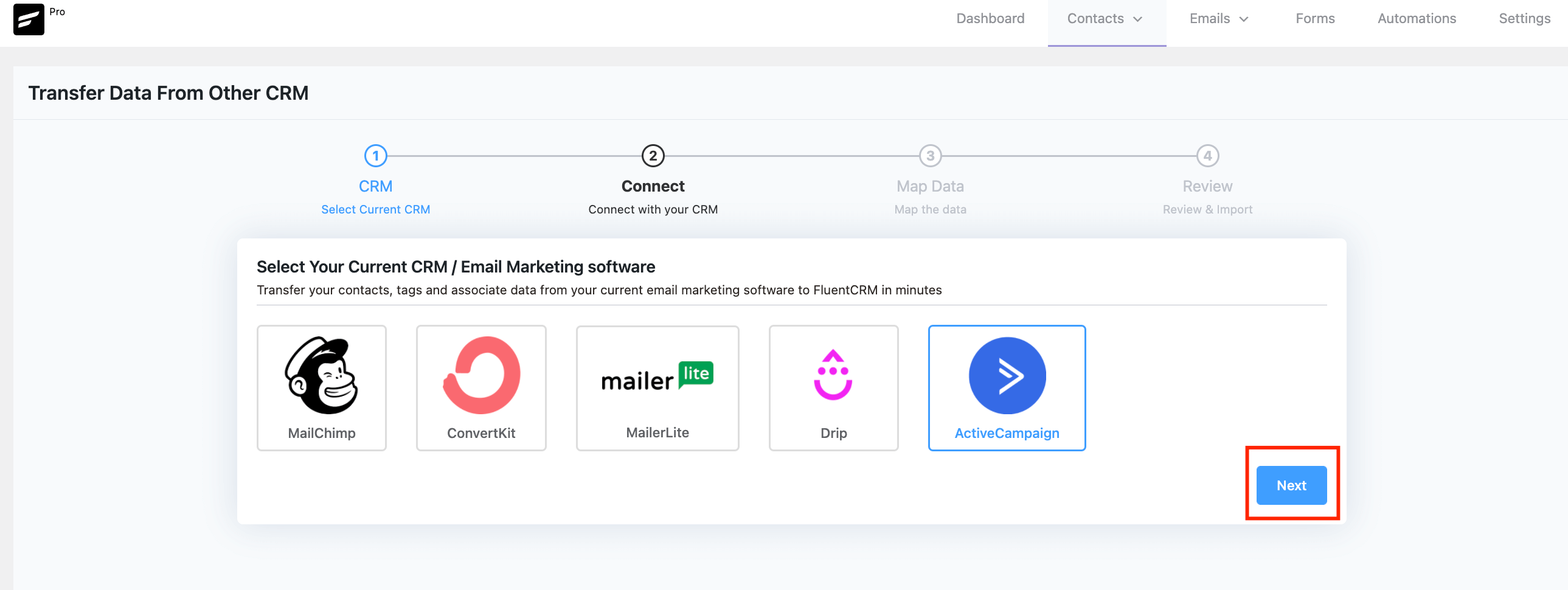
Then, choose Import from Other Platforms and select ActiveCampaign from the list of providers.
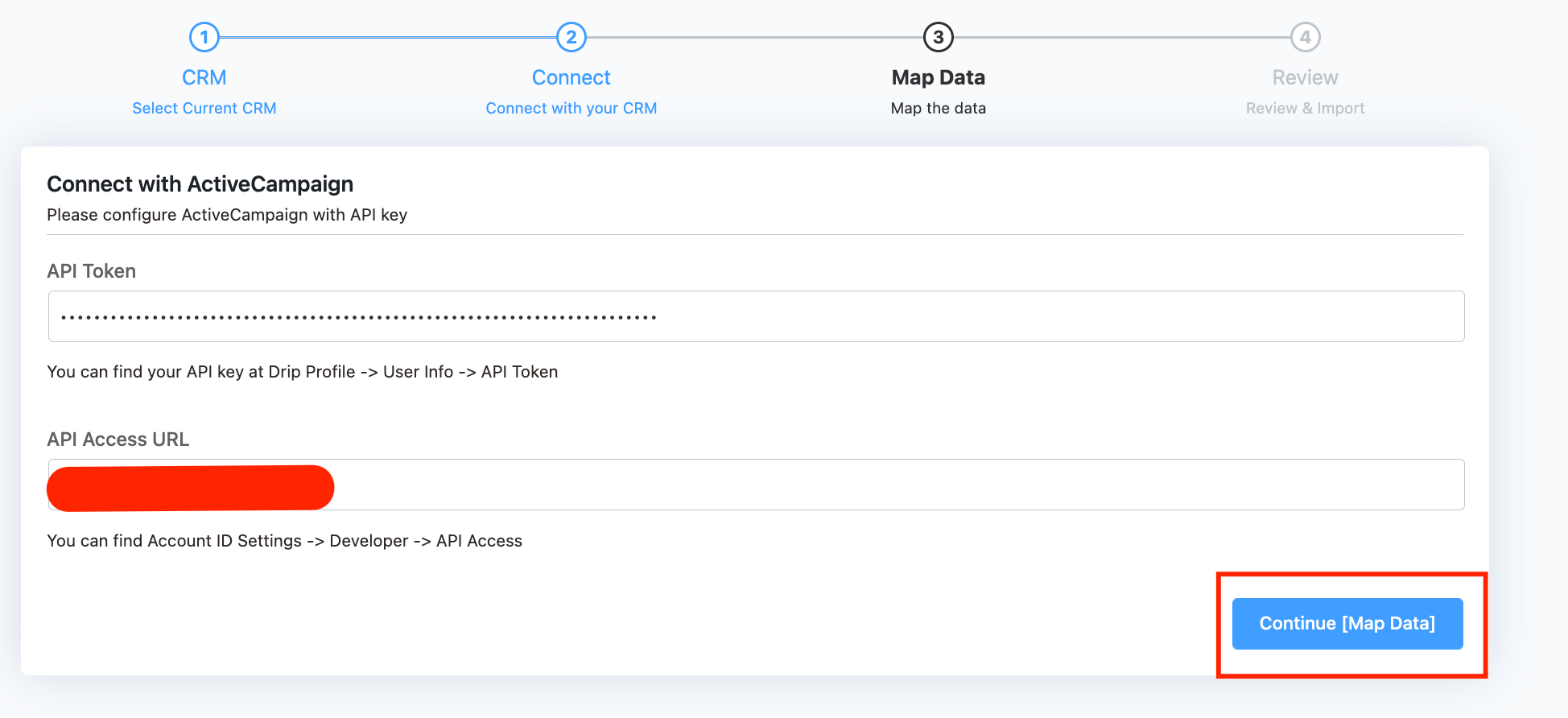
On the next screen, you will be asked to give ActiveCampaign API Key, you can acquire the API key by going to Settings -> Developer -> API Access
Now Give your API key and URL and hit Next.
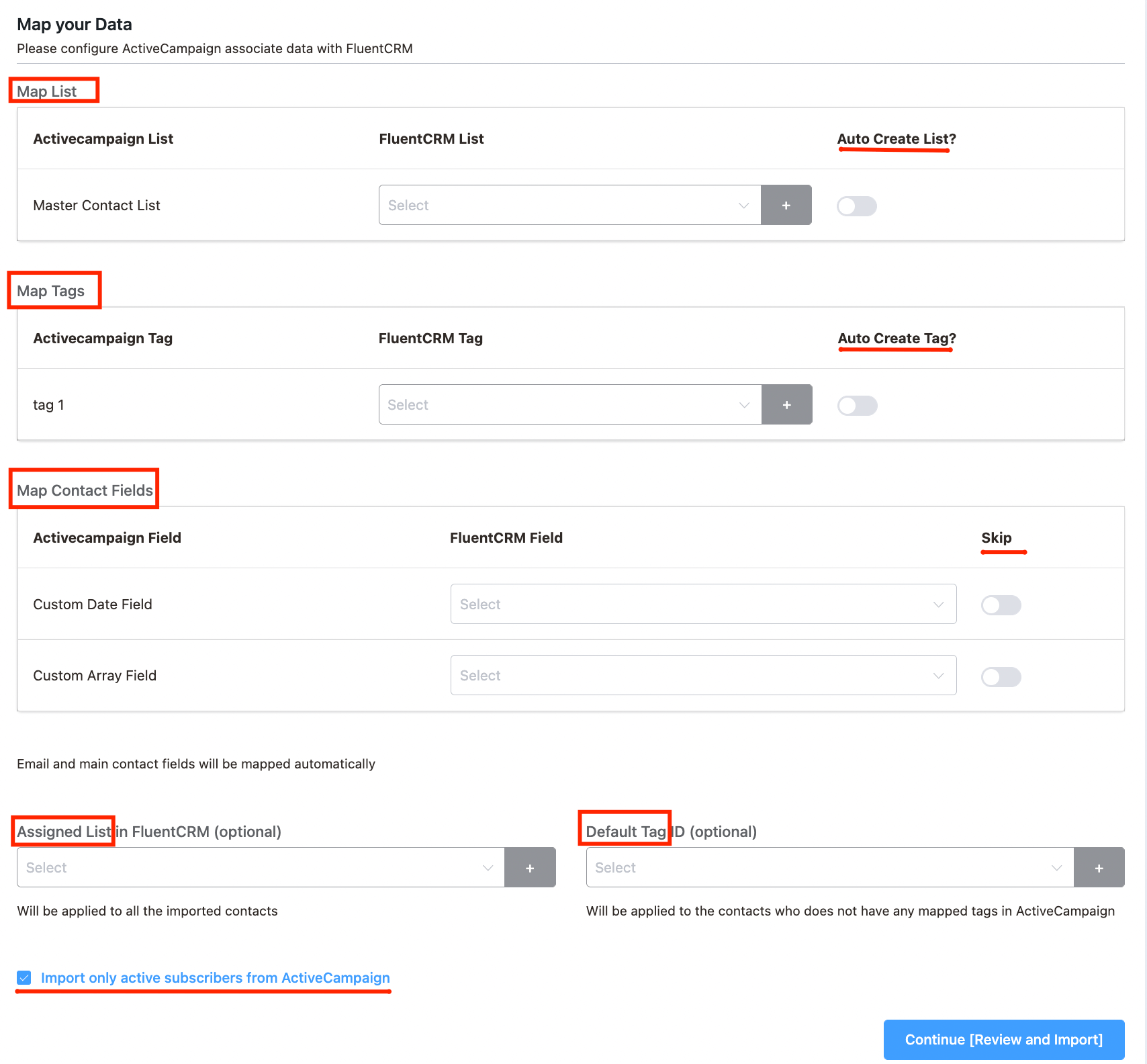
Now, simply map all the data(lists, tags, information) you need to import in FluentCRM and select the “Import Only Active Subscribers From ActiveCampaign” option, only the active subscribers will be imported as a result. The import of all contacts will be marked as pending if you do not choose this choice.
Finally, review and Confirm!
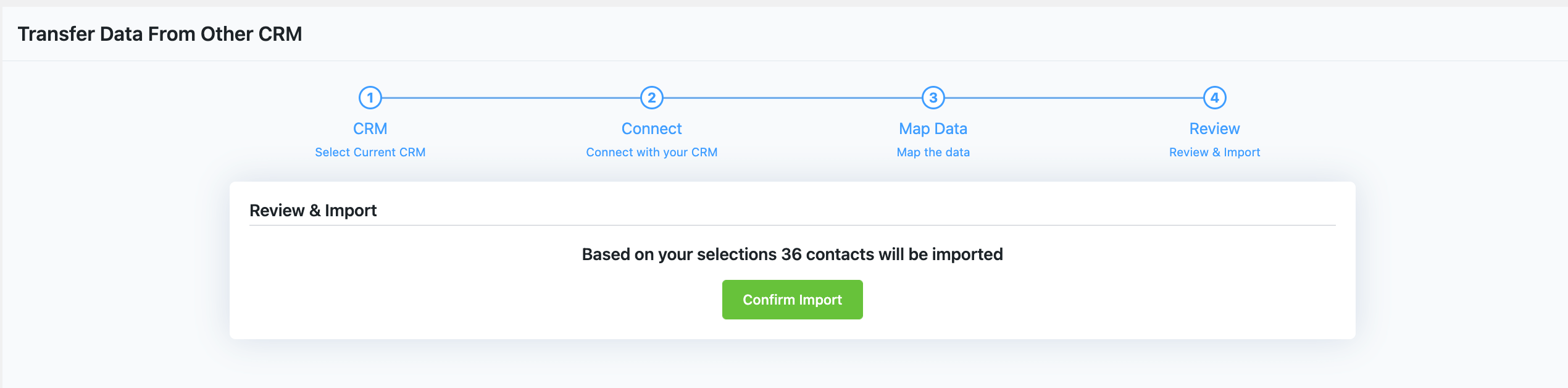
All contacts with all their selected properties will be imported.


