
In order to enable the Google AutoComplete address on the CartFlows Checkout page, follow below steps:
Step 1: Enable Google Maps Platform
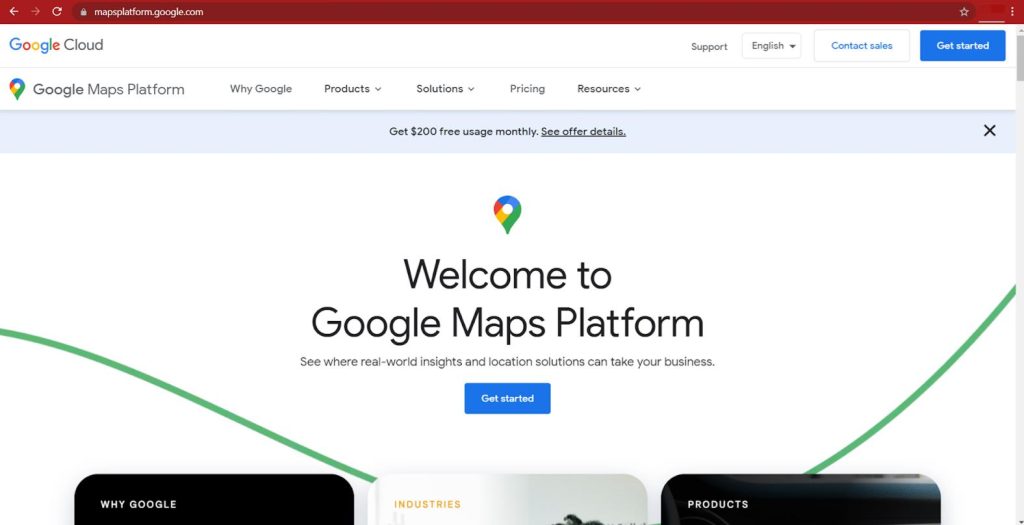
Navigate to the Google Maps Platform and click on the ‘Get Started’ button in the top right corner of the site.
Step 2: Select a Project
If this is your first time creating an API key, you will have to create a Project first.
- Give your Project a name.
- Click the next button at the bottom-right of the window.
Step 3: Set up your billing
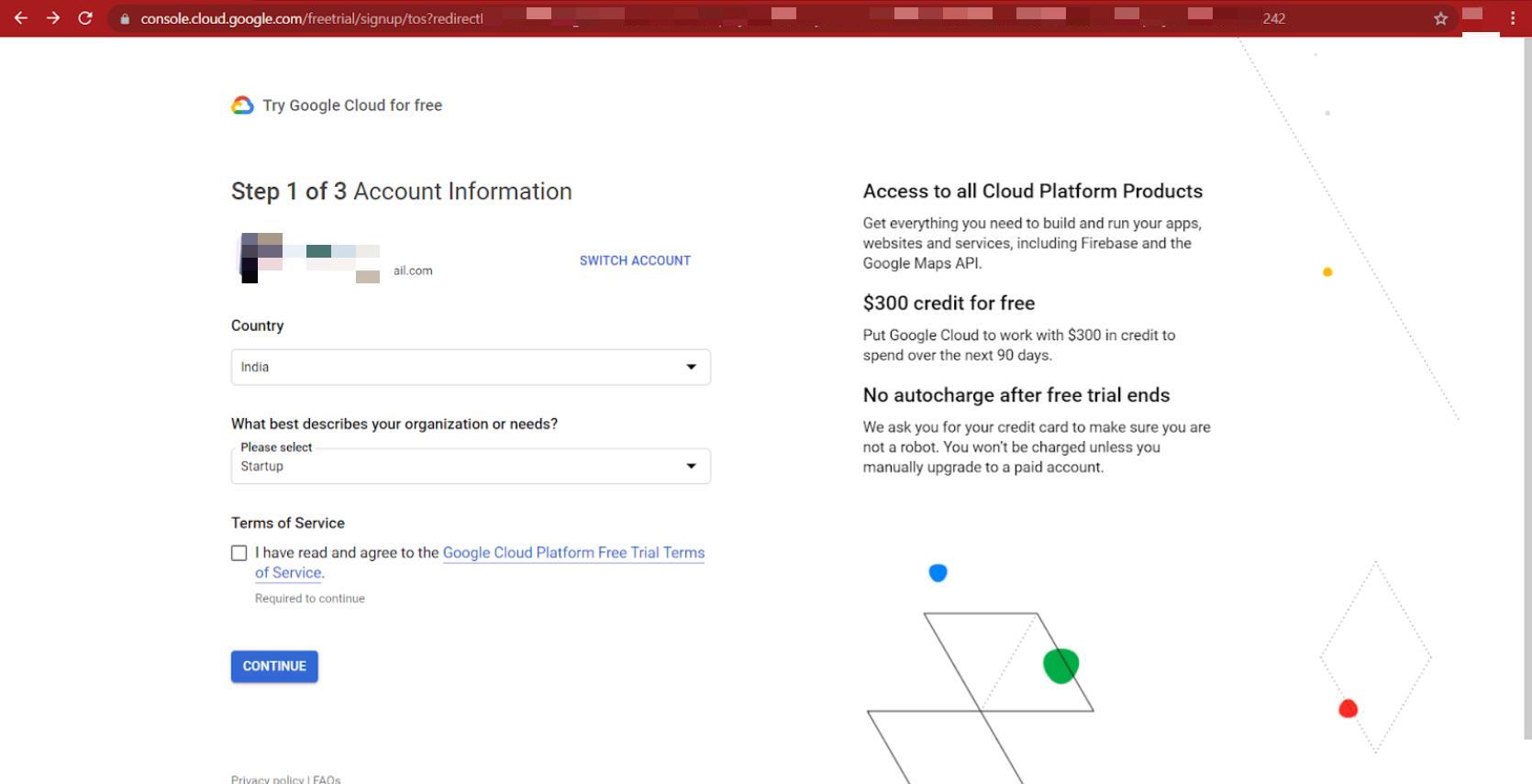
Select your country and accept Terms of Service then click on the continue button.
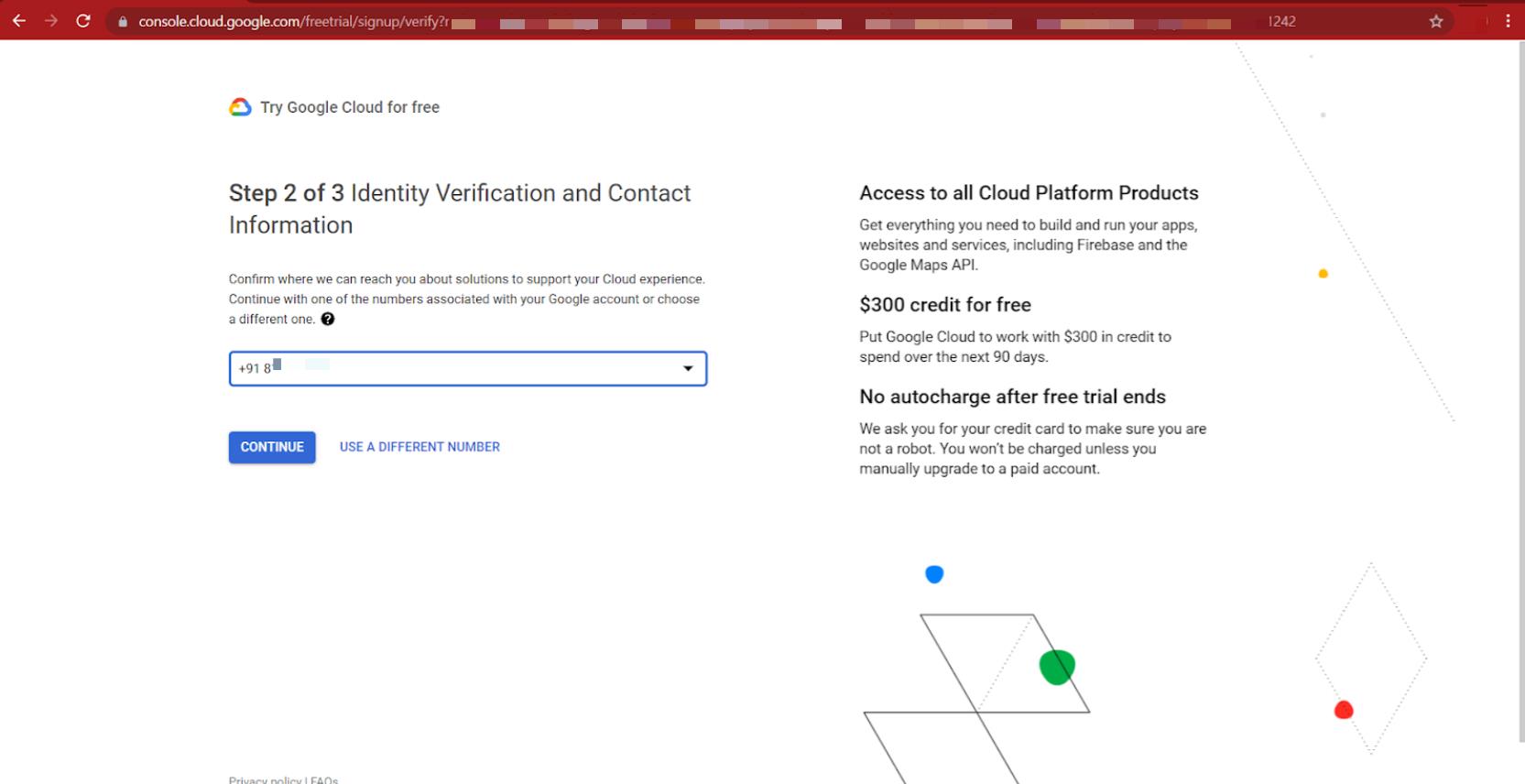
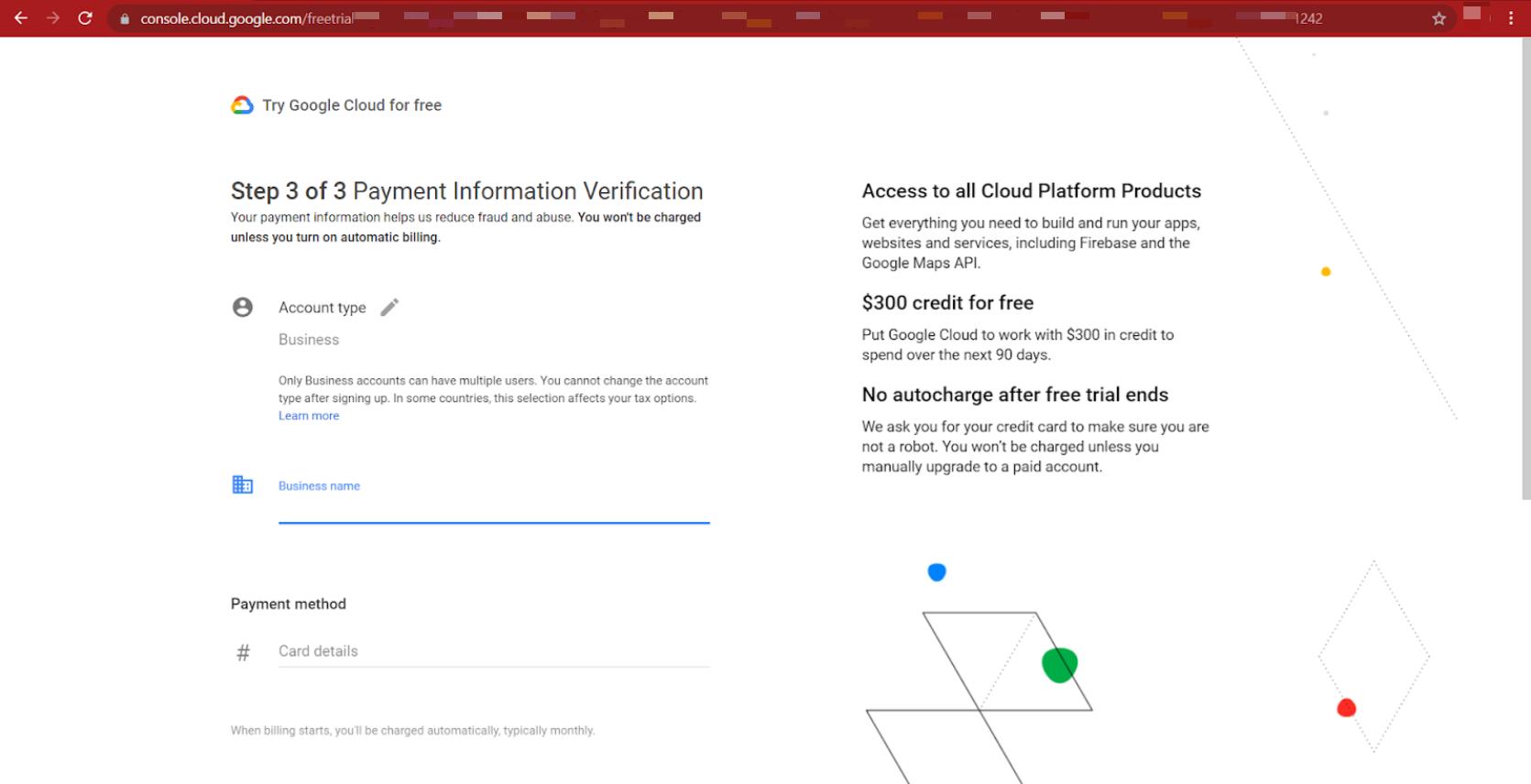
Enter your customer info (details) and card information.
Step 4: Generate Your API Key
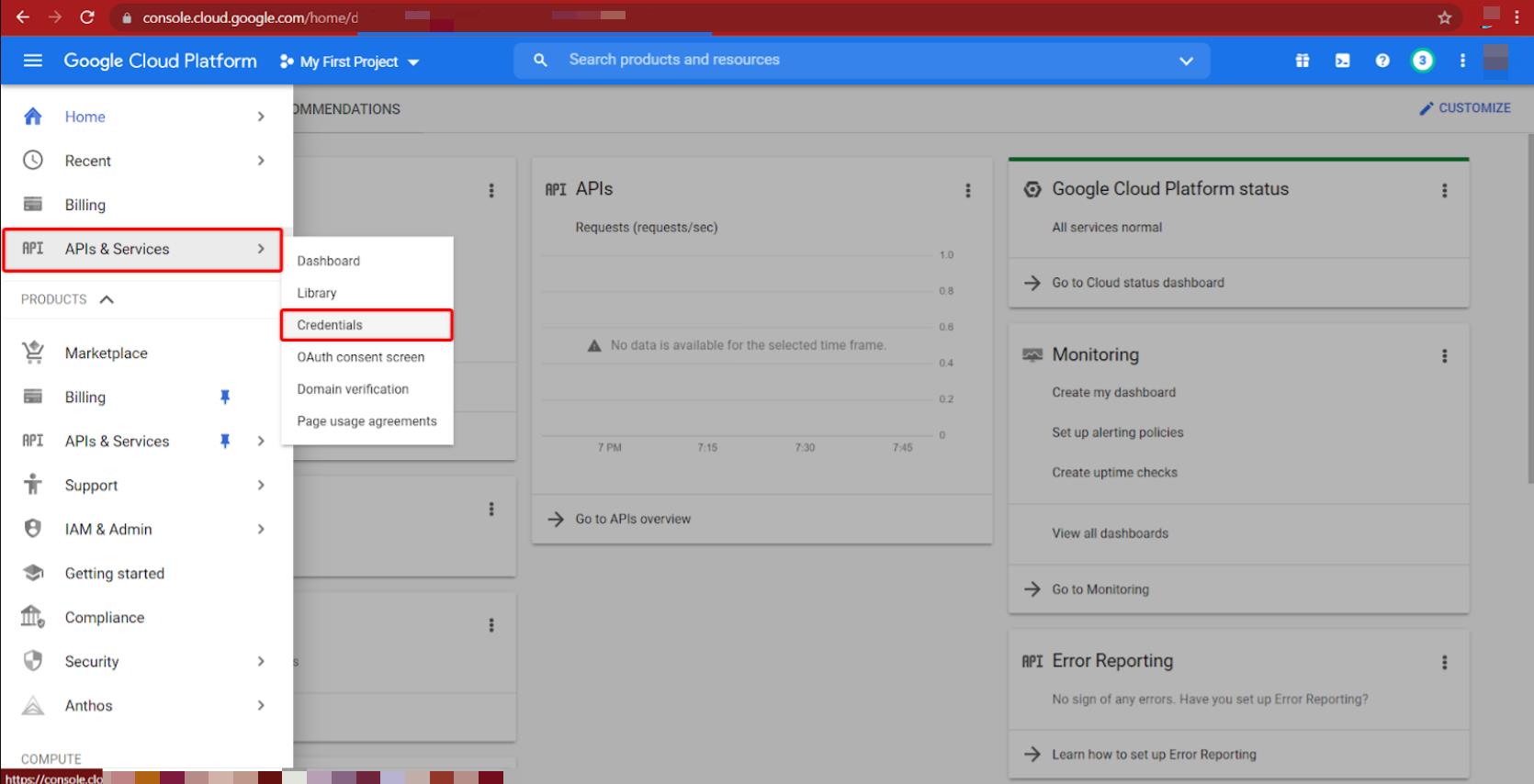
Go to APIs & Services > Credentials
Click on CREATE CREDENTIALS and select API Key
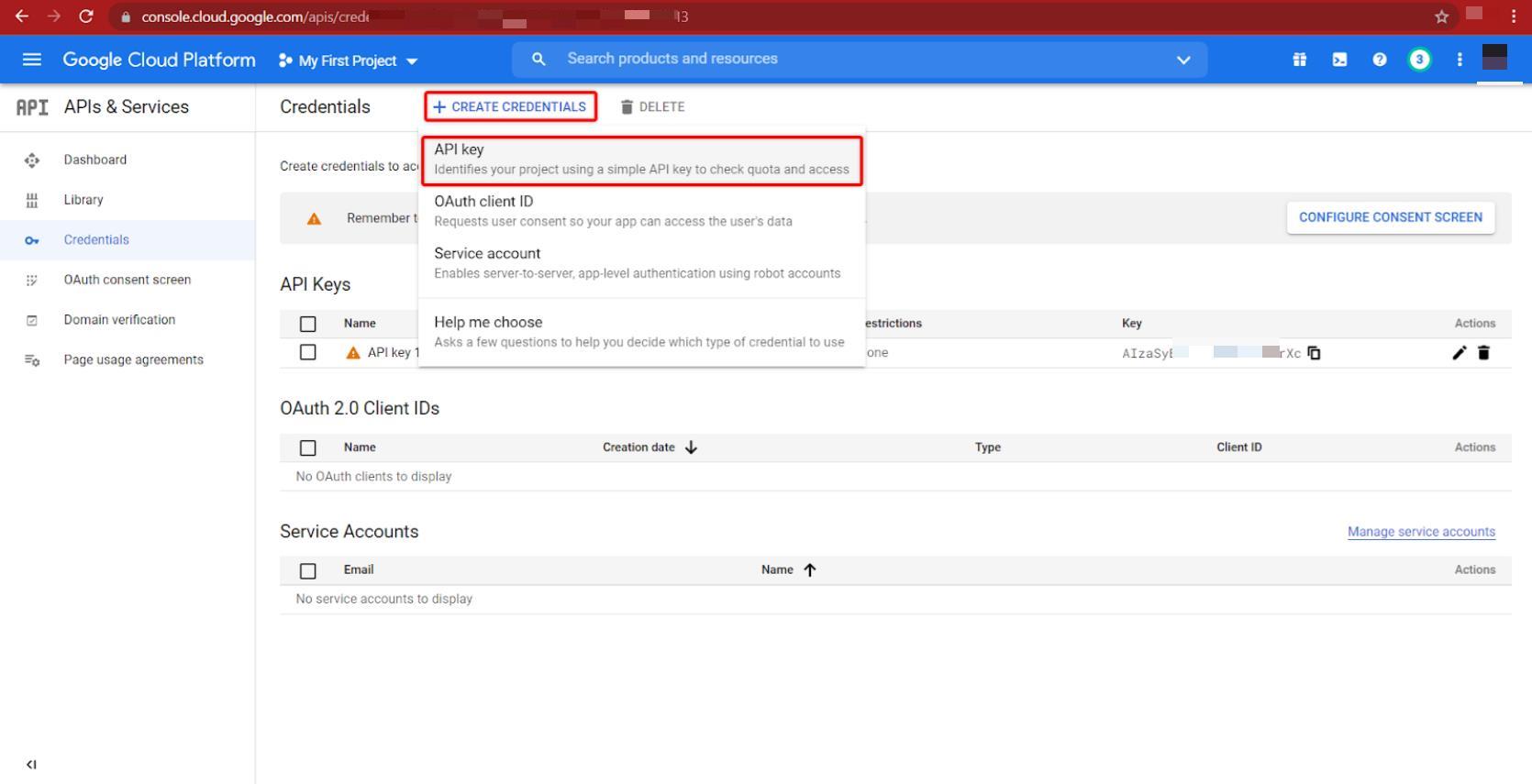

There you go! That’s how you can get your new API Key.


